
How to create instructional quiz videos in ScreenPal?
How to create Quizzes?
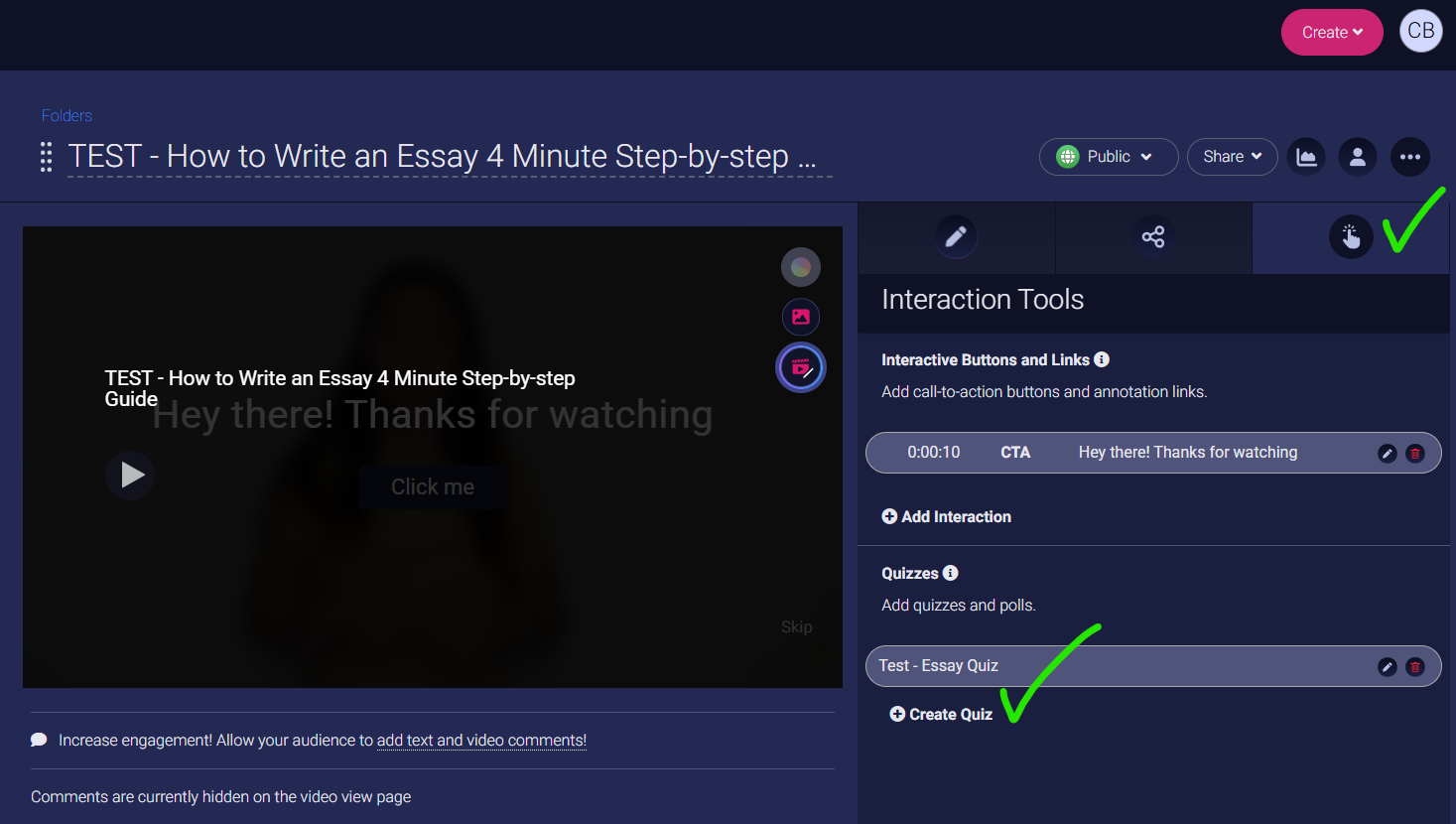
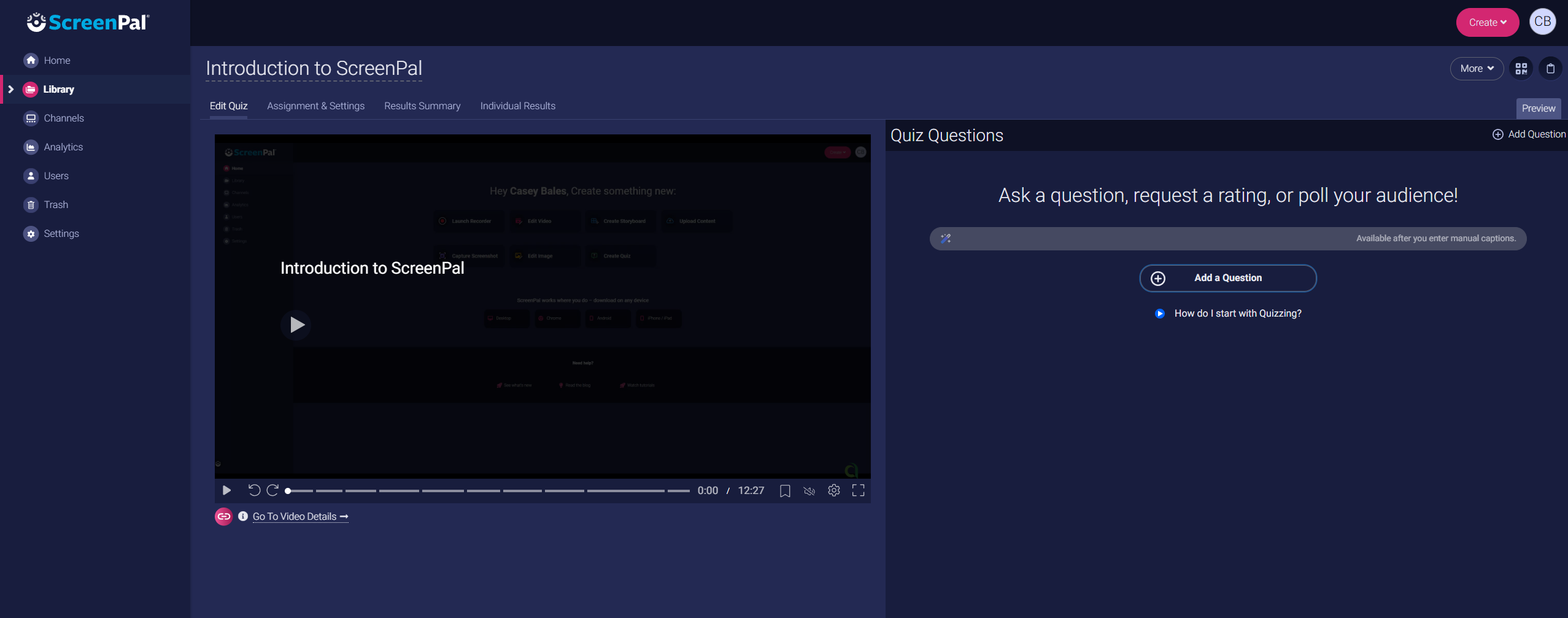
On the third tab, interactive tools allows you to create quiz questions on the video. Once you click ‘create quiz’ it will open the quiz page as below.
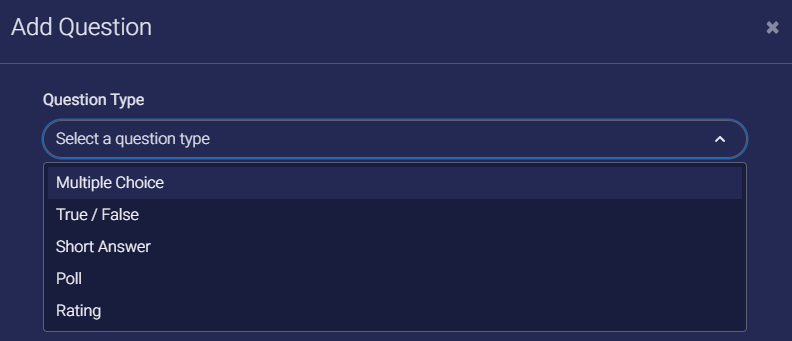
There are a few different types of quiz questions.
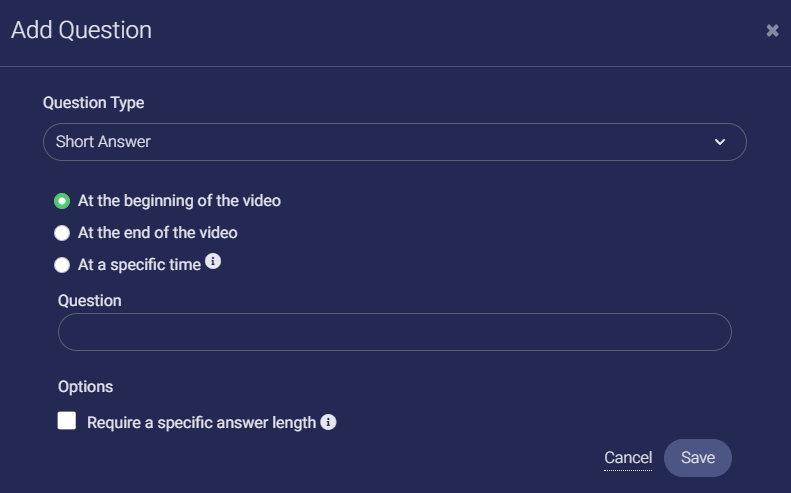
You can also specify when the quiz questions will appear.
During the video it will appear as such.
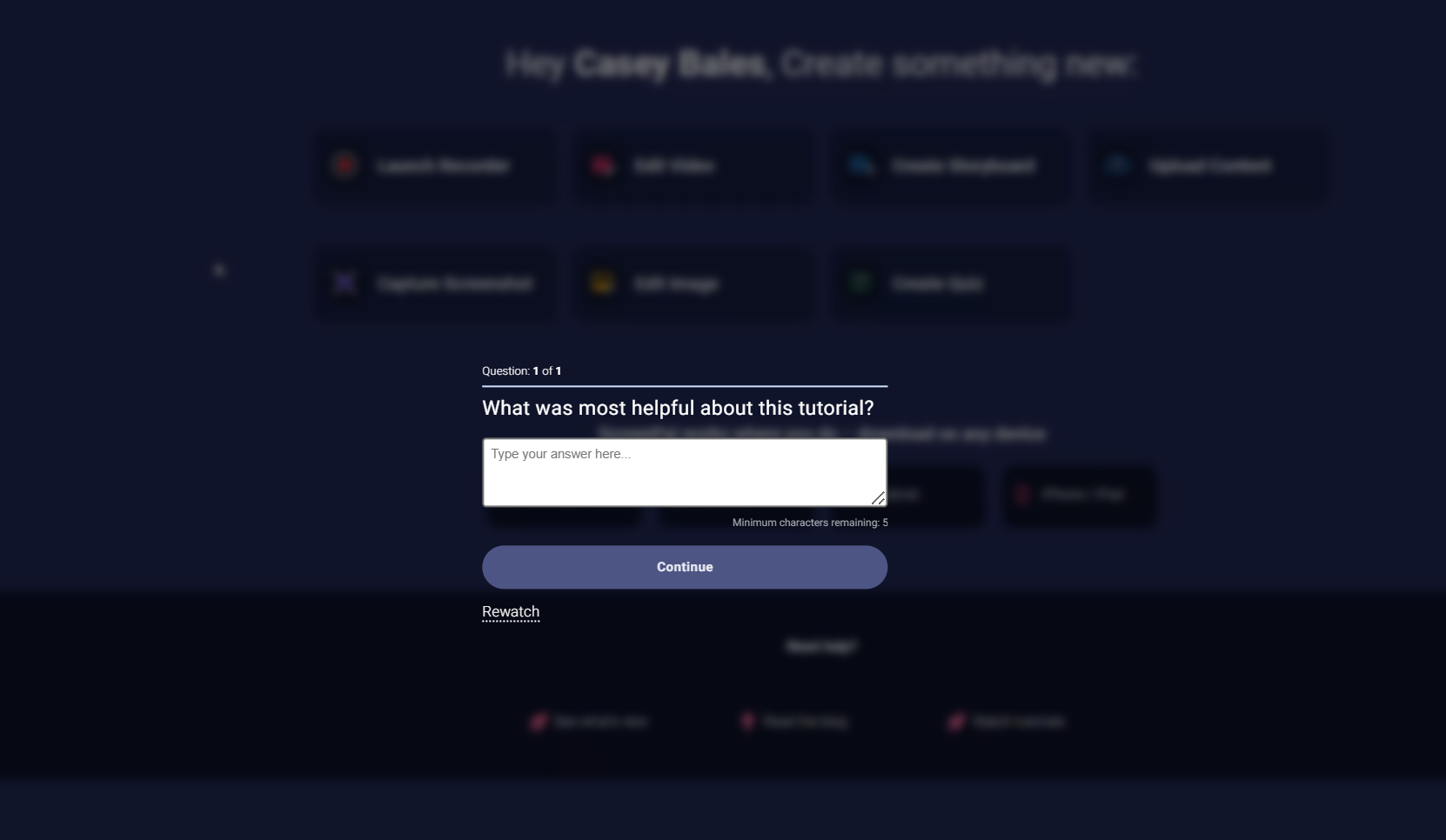
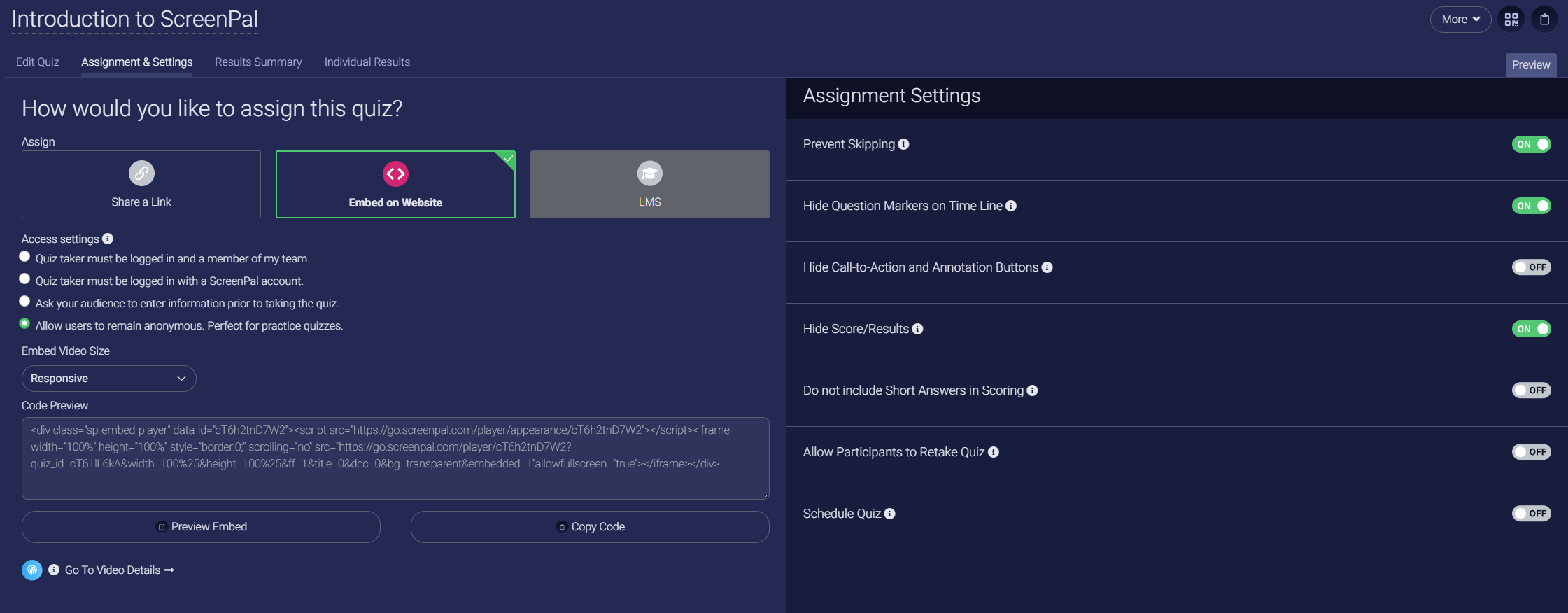
It is also important to note that you have many settings when it comes to quizzes.

One key feature is enabling or disable learners ability to skip around the video or know when a quiz question will pop up!

You can also review the analytics of the quiz results and/or individual results.
How to share the quiz with student?
Similar to sharing the original video, you have the option to provide a direct link or embed it on a website or LMS.
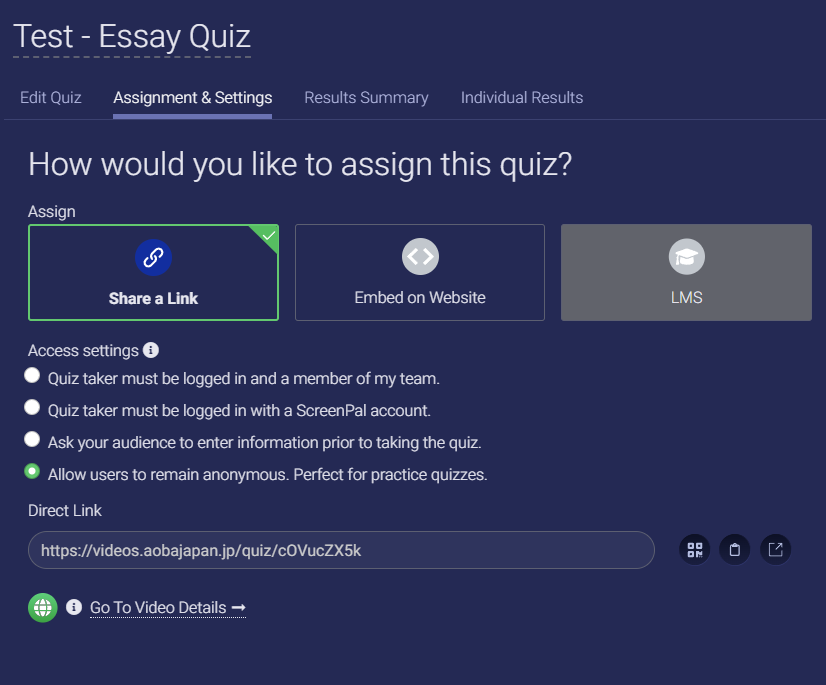

Note that the direct link for a quiz video is unique and cannot be used in the AGC’s ScreenPal video element.
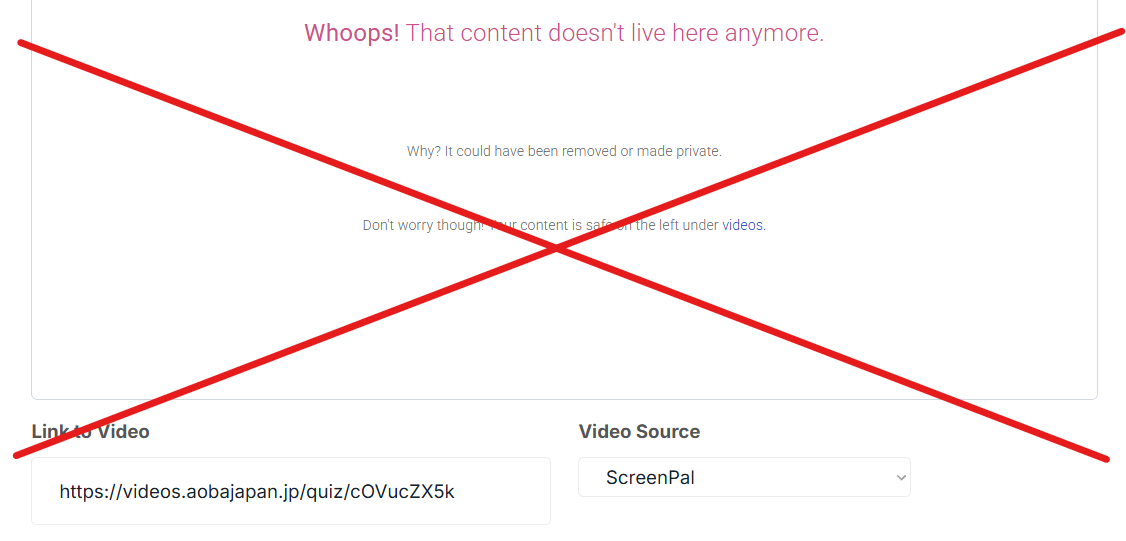
Instead please use the “embed on website” code if you wish to add it in AGC, otherwise, sharing the link directly with learners is also fine.