How to prevent users from being archived on Toddle?
Every night, users and class enrollments sync from Veracross to Toddle. This means that a student will be automatically added/removed from classes to match the Veracross configuration.
In some cases, it may be necessary to exclude a specific student or user (for example, a demo student) from this synchronization so they are not archived or removed from classes during the nightly sync.
This can be done by adding the user to the “Toddle Exclusion” list under Toddle App > Admin Portal > School Setup > Roster Sync > Toddle Exclusion
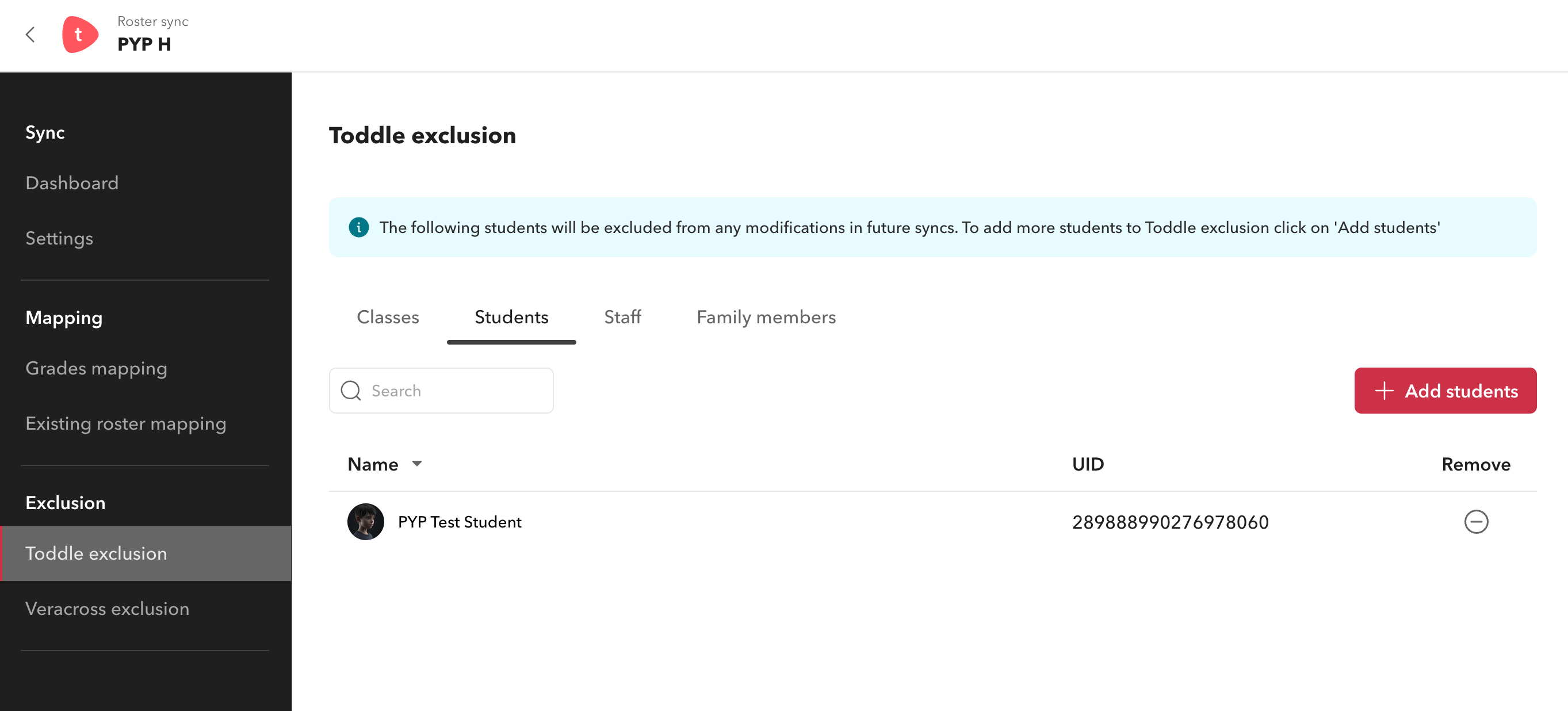

Example Scenario: A student has left the school but still requires access to reports on Toddle. During the nightly sync, the student would normally be archived. To prevent this, the student and their parents should be added to the exclusion list while Toddle access is still required. Once access is no longer needed, they can be removed from the exclusion list and archived as usual.
📘 Preventing Changes During the Veracross Sync

Students only appear on the Toddle Exclusion list if they are currently listed as active. If a student is already archived, they should be restored manually in Toddle before they can appear on the Toddle Exclusion list.
To prevent a class, student, staff, or family member from being modified during the nightly sync, please follow this procedure:
On the Toddle exclusion page, select the relevant tab (Classes, Students, Staff, Family members)
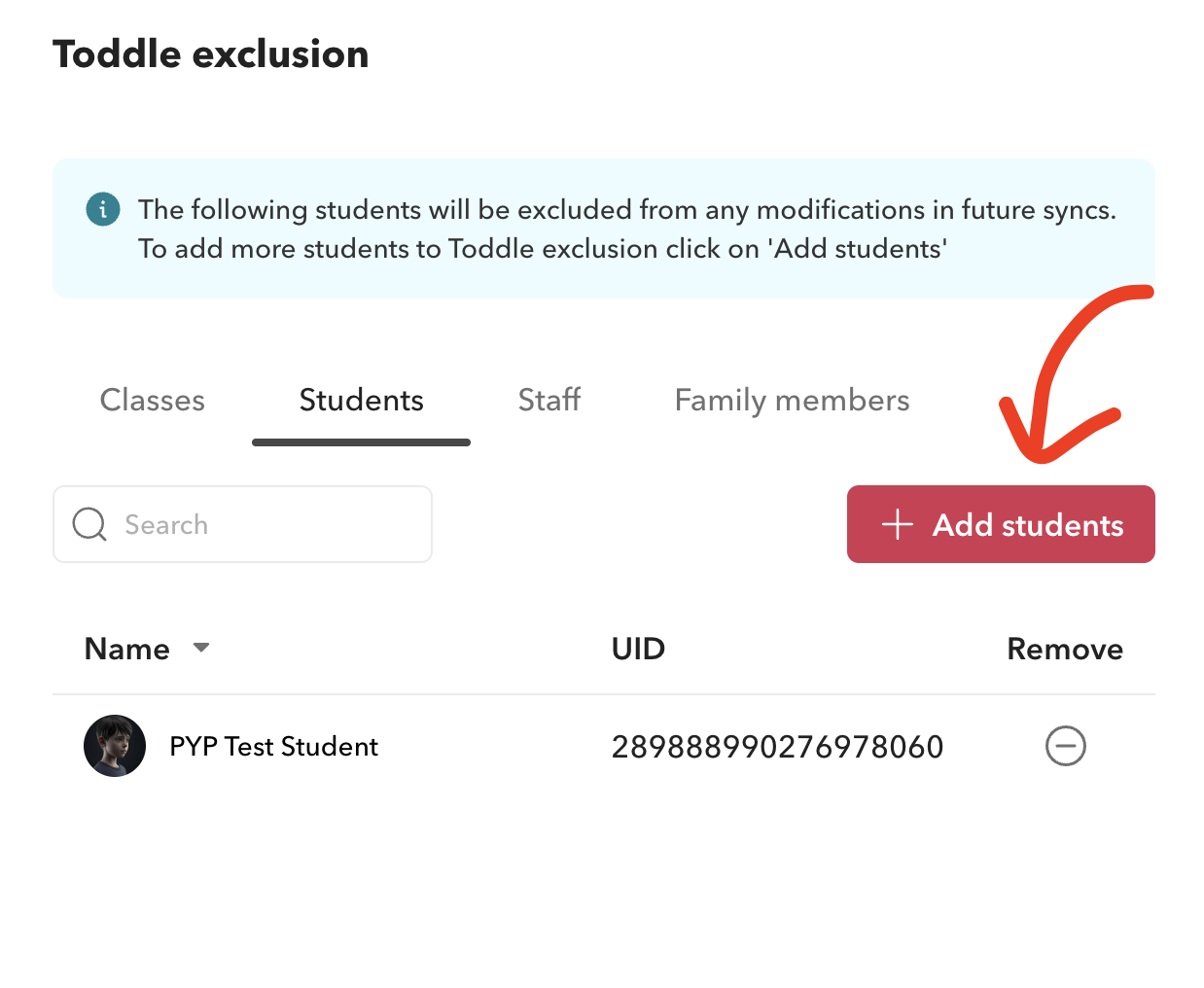
Click the “Add” button
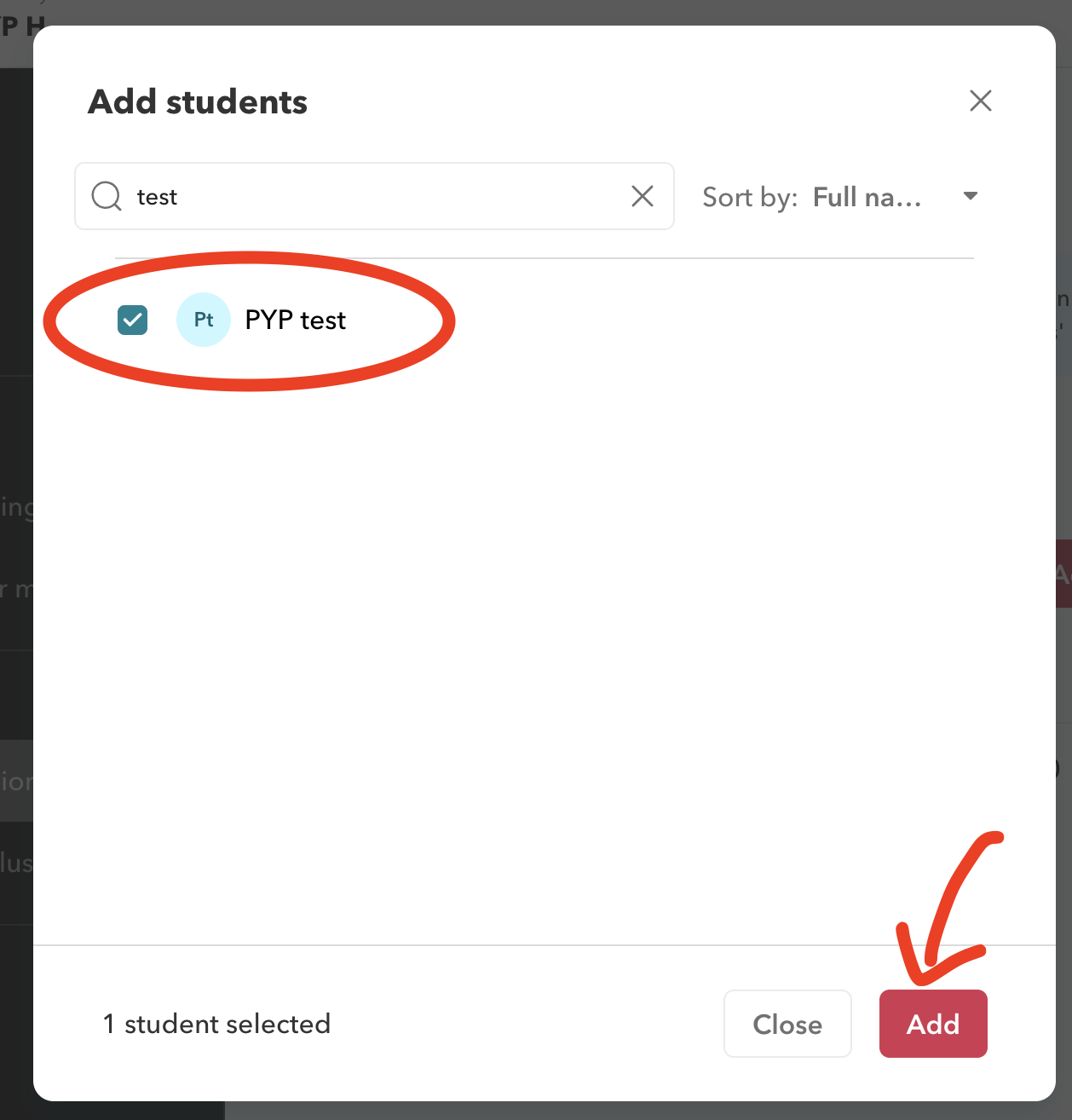
Select the relevant users or classes and click “Add”
📘 Resuming the Veracross–Toddle Sync
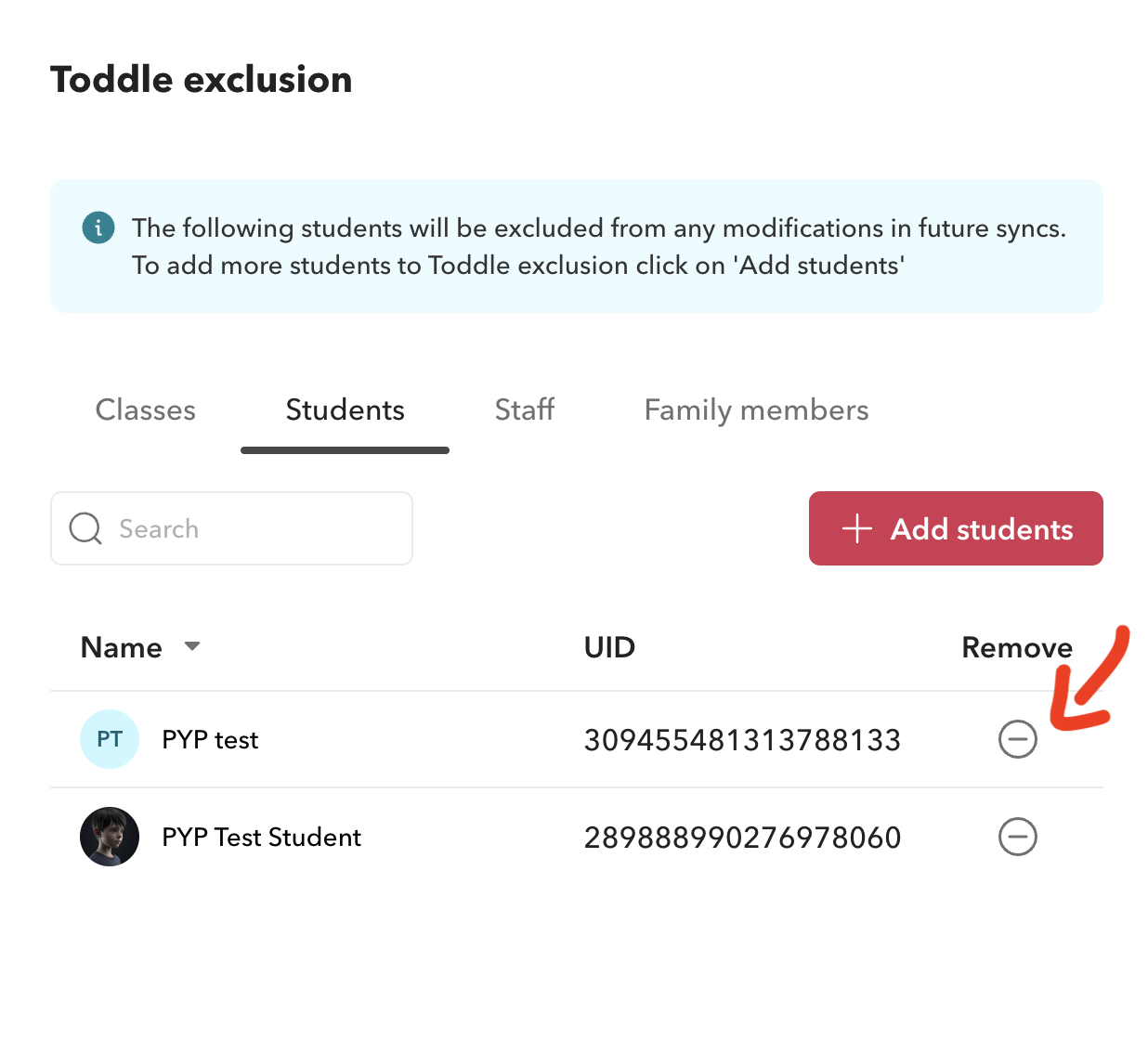
To remove a class, student, staff, or family from the exclusion list, and make sure they sync with Veracross, click the  icon in the Remove column on the Toddle Exclusion page: