
🥽 How to Put On a VR Headset
Welcome! This guide will help you wear a VR headset safely and correctly so you can enjoy your VR experience.
🎯 Before You Start
Make sure you:
✔️ Have clean hands
✔️ Have enough space around you (no chairs, bags, or people nearby)
✔️ Ask a teacher if you are unsure
🧠 Step-by-Step Instructions
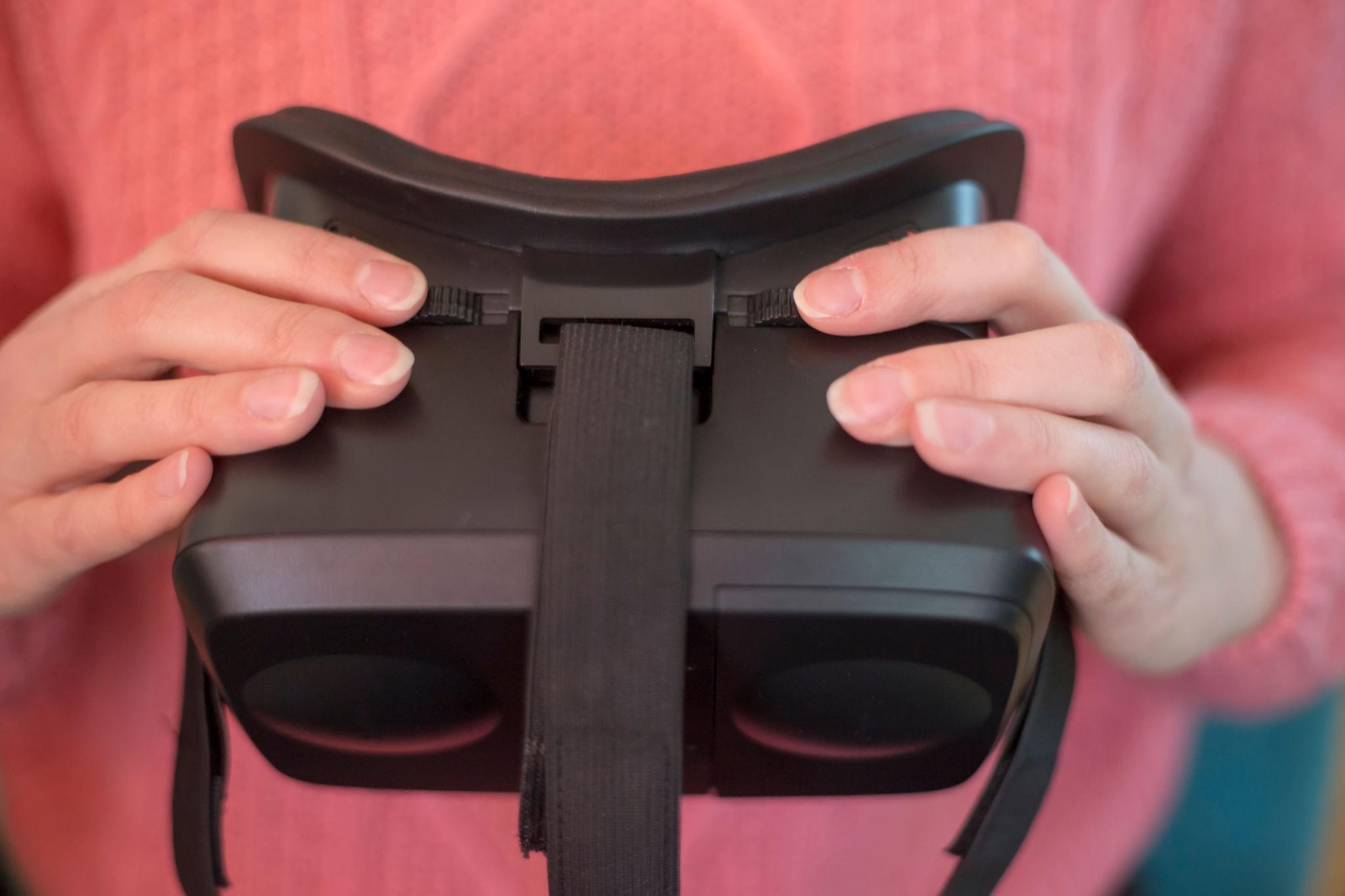
1. Hold the Headset Correctly
Hold the VR headset with both hands
Make sure the lenses (inside part) are facing you
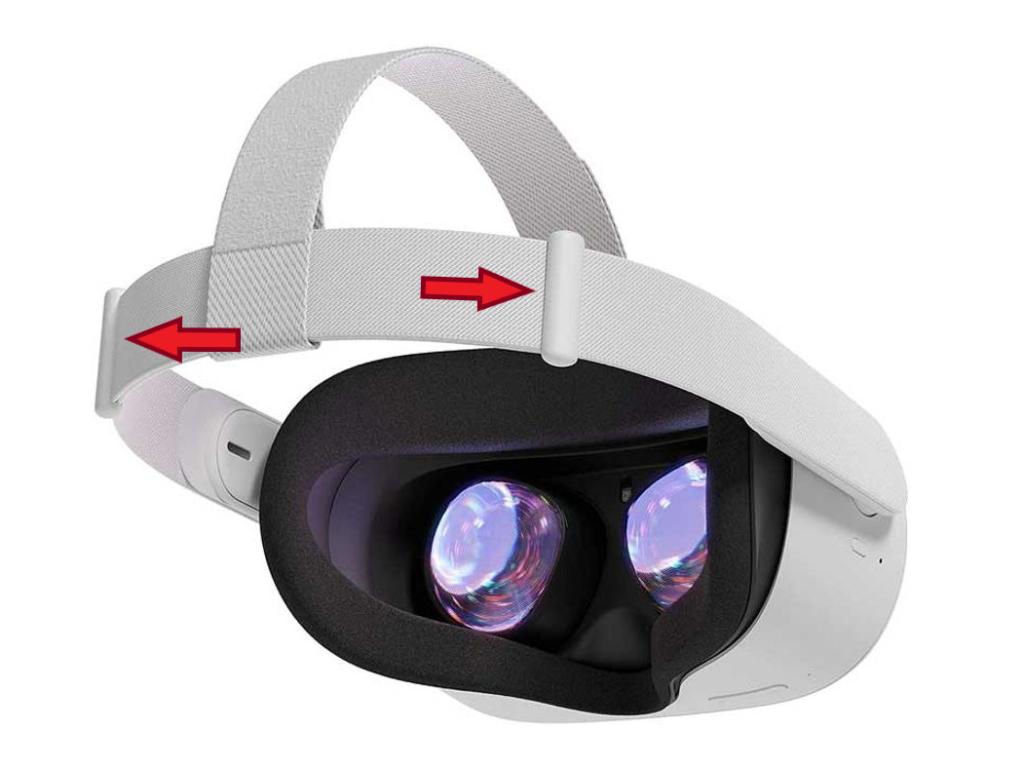
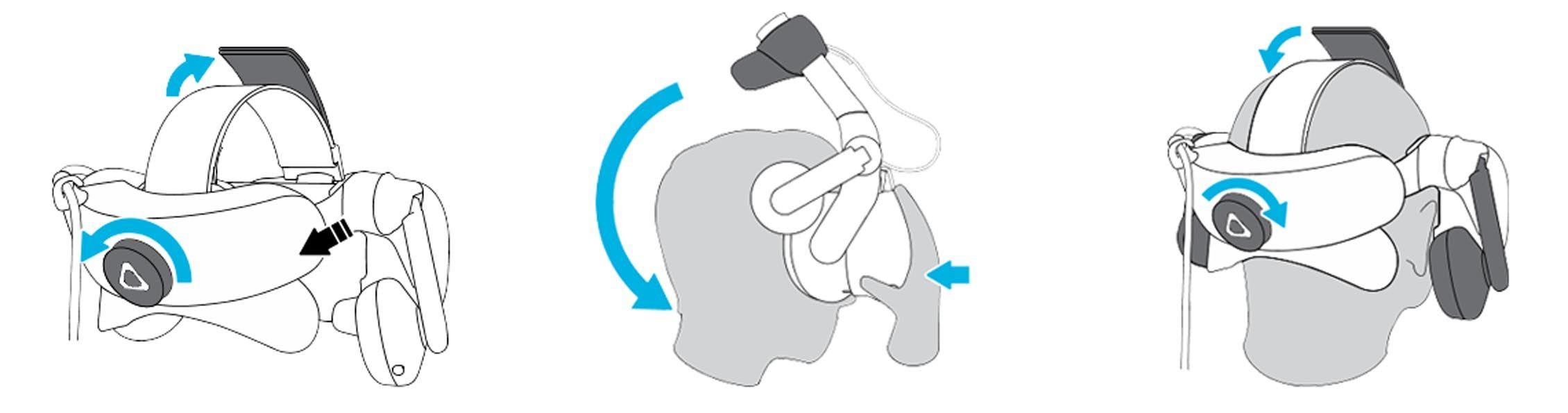
2. Loosen the Straps
Gently pull or adjust the straps so they are loose enough
This makes it easier to put on your head
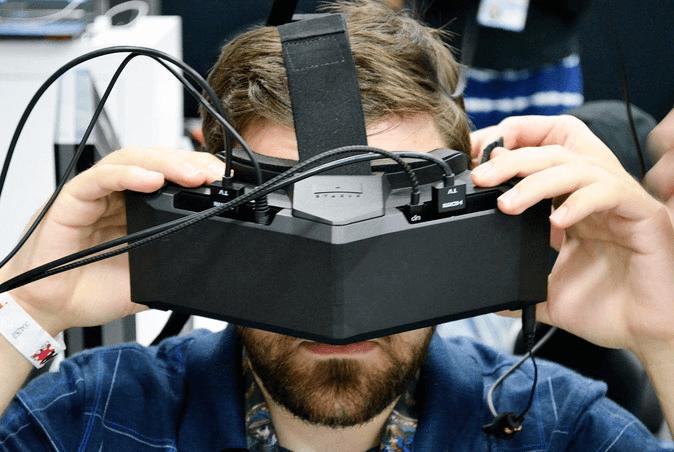
3. Place the Headset on Your Face
Put the headset over your eyes and nose
Make sure it sits comfortably on your face
4. Pull the Strap Over Your Head
Use one hand to hold the headset in place
Use your other hand to pull the strap over the back of your head
5. Adjust for Comfort
Tighten the straps if needed (not too tight!)
The headset should feel secure but comfortable
6. Check Your View
You should see clearly inside the headset
If it looks blurry:
Adjust the headset slightly up/down
Ask a teacher for help if needed

⚠️ Safety Tips
🚫 Do NOT walk around while wearing the headset
🚫 Do NOT run or jump
👀 If you feel dizzy or uncomfortable, take it off immediately
🙋 Always listen to your teacher’s instructions
🧼 After Using the Headset
Take off the headset slowly
Place it back where your teacher tells you
Do not touch the lenses inside
💡 Helpful Tip
If something doesn’t feel right —
👉 Pause and ask for help!
👓 Wearing a VR Headset with Glasses
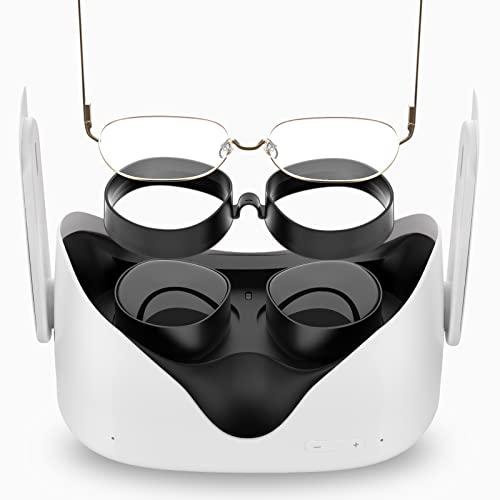
If you wear glasses, follow these steps to stay safe and comfortable:
✅ Before You Put It On
Make sure your glasses are clean
Check that your glasses are not too big or wide
If available, use a glasses spacer (ask your teacher)
🧠 Steps to Wear with Glasses
Put your glasses on first
Hold the headset and loosen the straps
Slowly place the headset over your glasses
Be gentle so you don’t press too hard
Adjust the straps carefully
Make sure it is secure but not squeezing your glasses
⚠️ Important Safety Tips
🚫 Do NOT force the headset onto your face
🚫 If you feel pressure on your glasses → stop and adjust
🚫 If your glasses feel bent or uncomfortable → remove the headset and ask for help
💡 Helpful Tip
If you can’t see clearly:
Adjust the headset position
Ask your teacher if the device has a focus or lens adjustment