
AGC - How to Get a Student ID
Aoba Global Campus offers three unique student identification (Student ID) options.
Option 1 - Aoba Global Campus Digital ID
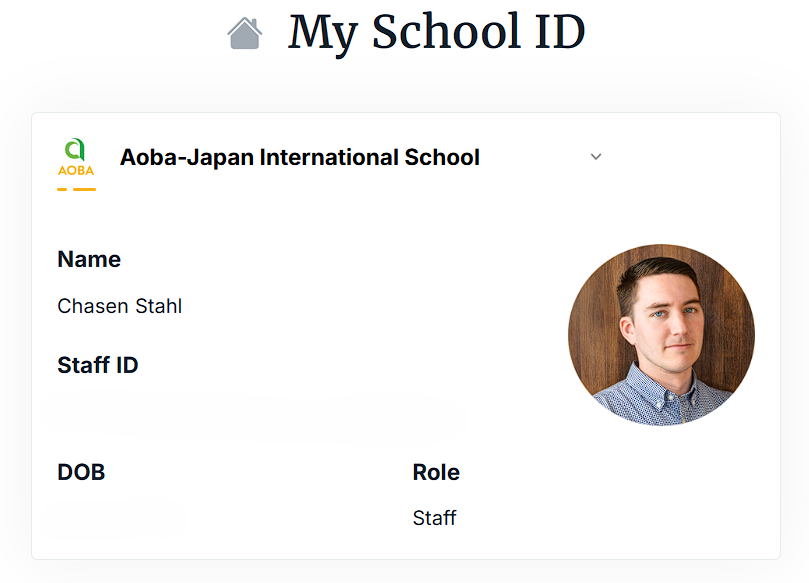
Students can instantly and easily access and display their digital Student ID from directly within the Aoba Global Campus platform.
While signed in to the platform navigate to the Profile Menu and select “My ID”.
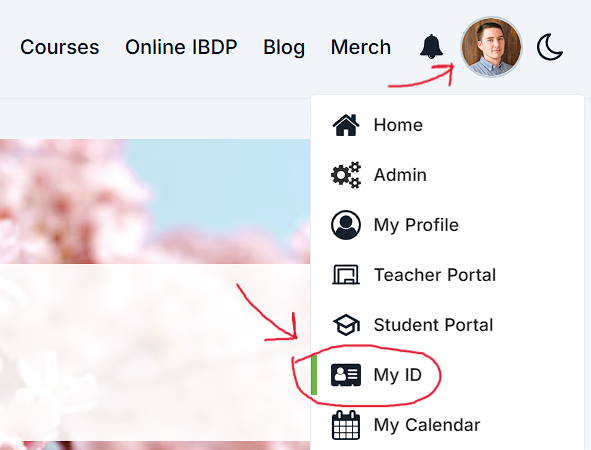
View and display your Student ID.
Option 2 - Order a Physical Student ID from School Registrar
Students may also order a physical Student ID card from the school’s registrar office.
Submit an “Official Documents Request Form”
Specify your request as being for a Student ID.
Indicate whether you will pick up the ID in-person at one of our school campuses, or have it shipped to your home address.
The school’s registrar will process your request and may follow up to confirm specific details.

Domestic postage costs within Japan are borne by the school.
International shipping and/or express shipping fees will be borne by the student/family.
Physical student IDs are provided at no cost - additional copies/replacements will incur a fee of 200 JPY per issuance.
Option 3 - International Student Identity Card (ISIC)
Students may order an International Student Identity Card (ISIC). The ISIC unlocks additional access to various student discounts and services in countries around the world.

Before you begin the ISIC application process please ensure you have submitted a request for and received a copy of your “Proof of Enrolment” document from the Aoba school registrar’s office. Request your “Proof of Enrolment” as a PDF via online form. You can expect to receive your document within five business days from the time of request.
You will not be able to complete your ISIC application without this important document!
Navigate to the “Get your card” page at ISIC.org
Select the country/territory where you currently reside (only select “Japan” if you currently reside in Japan)
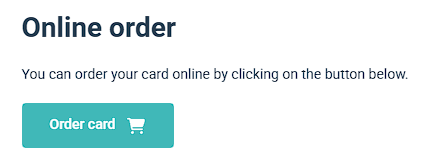
Begin the “Online order” process by selecting the “Order card” button.
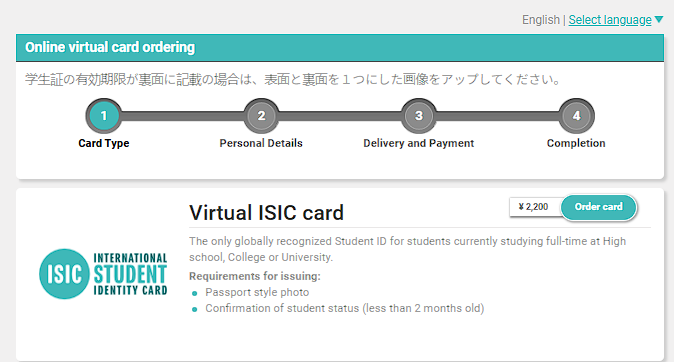
Select the “Order card” button next to the “Virtual ISIC card” option.
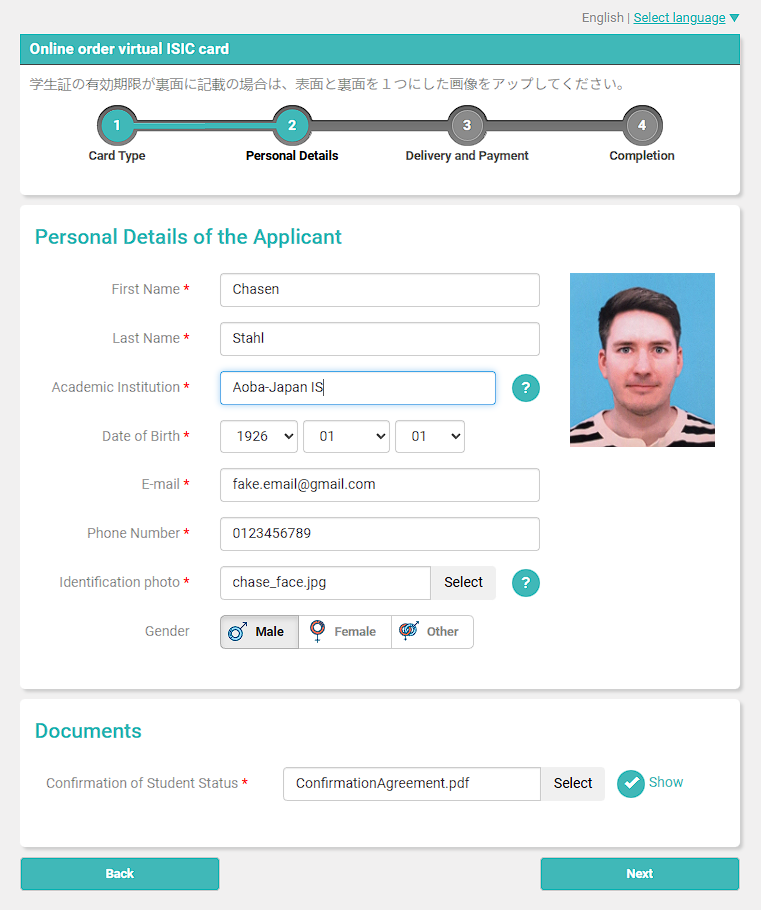
Enter personal details of the student for whom the card will be issued, like so.
For “Academic Institution” enter “Aoba-Japan IS” (the full school name will not fit on the ID card)
You may use either your school-issued email address or a personal email address
Your identification photo should be similar to a passport or other government ID - face towards the camera in front of a well lit, evenly colored background
Make a digital payment via Paypal or credit card.
Wait to receive confirmation that your Proof of Enrolment has been verified and that your ISIC has been issued.
RECOMMENDED: Download the ISIC app on your phone in order to conveniently access and display your ISIC when applying for in-person discounts.
Optional
Depending on your location of residence you may also have the option of obtaining a physical, printed (usually laminated plastic) version of your virtual ISIC. This is rarely required to avail of ISIC eligible discounts and special offers, but you may find it to be a convenient alternative to the virtual ISIC.
Navigate to the “Get your card” page on the ISIC website.
Find a local ISIC card distributor (if available).
Contact the distributor directly to order your physical ISIC.
ISIC registration will incur an initial one-time fee along with yearly renewal fees, payable directly to ISIC.
Aoba-Japan International School and Aoba Global Campus are not affiliated with ISIC. Please direct any support requests relating to the ISIC to info@isic.org