.png)
Listed below are provided instructions on some commonly asked questions
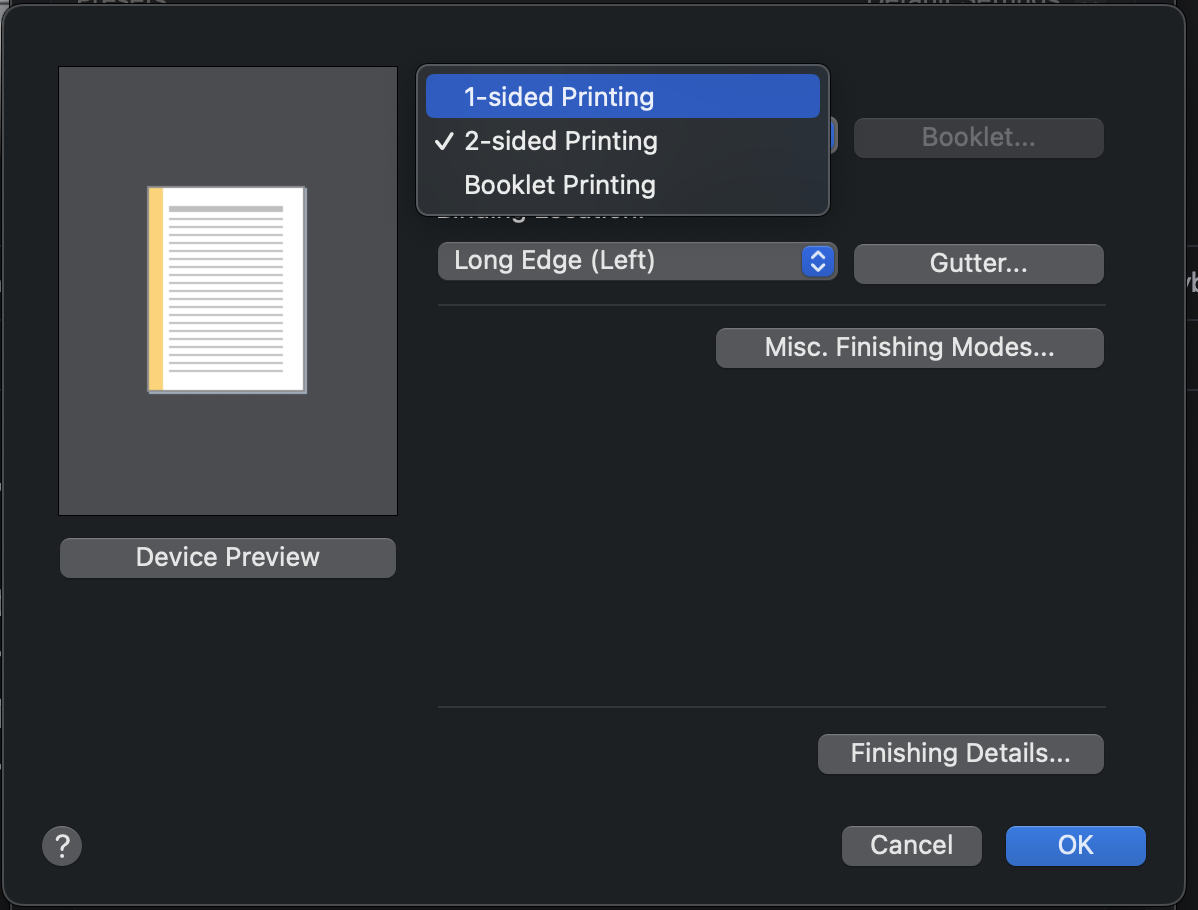
📘 Printing Single-sided / 1-sided Printing
-
Open the print dialog typically under File → Print.
If using Google Chrome, be sure to select More settings and the Print using system dialog… (⌥⌘P).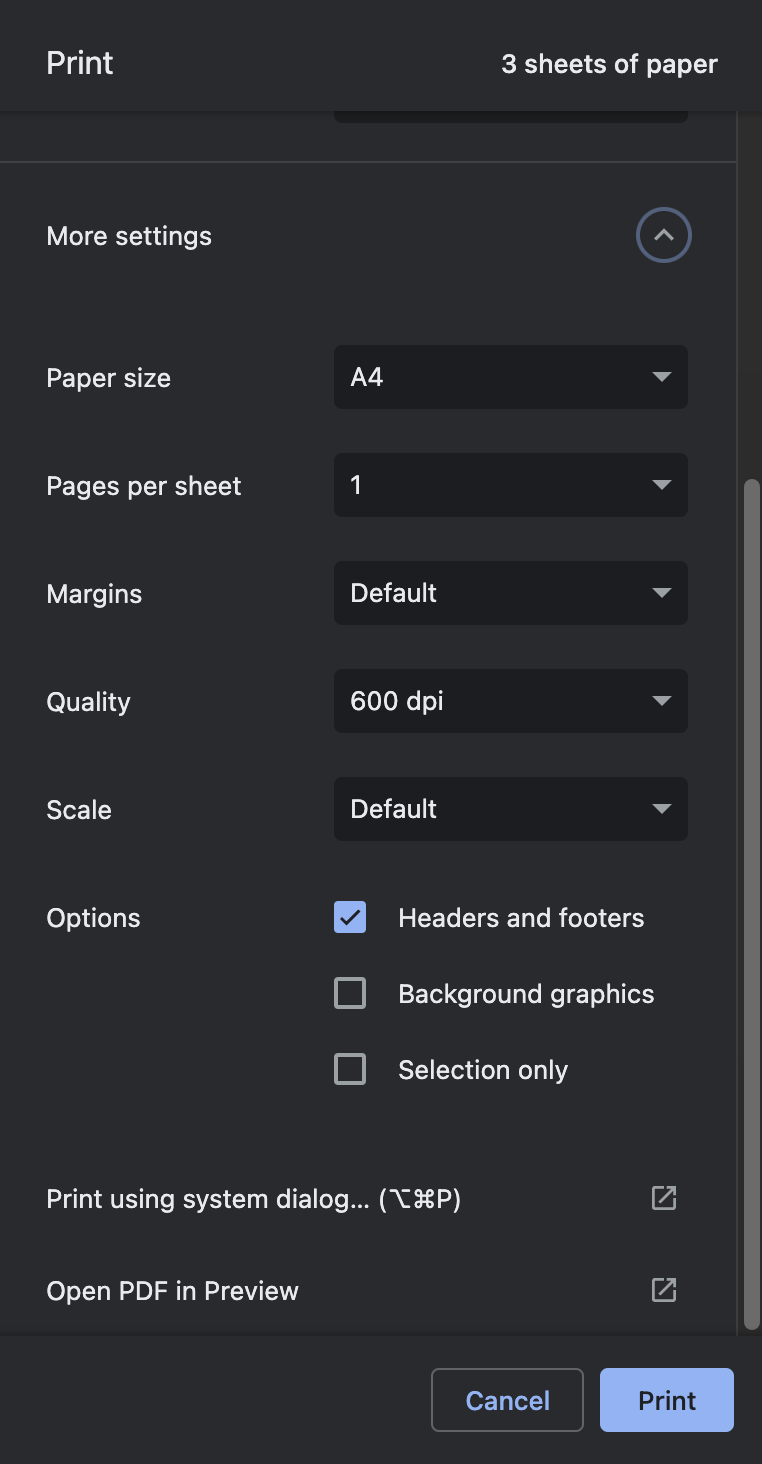
-
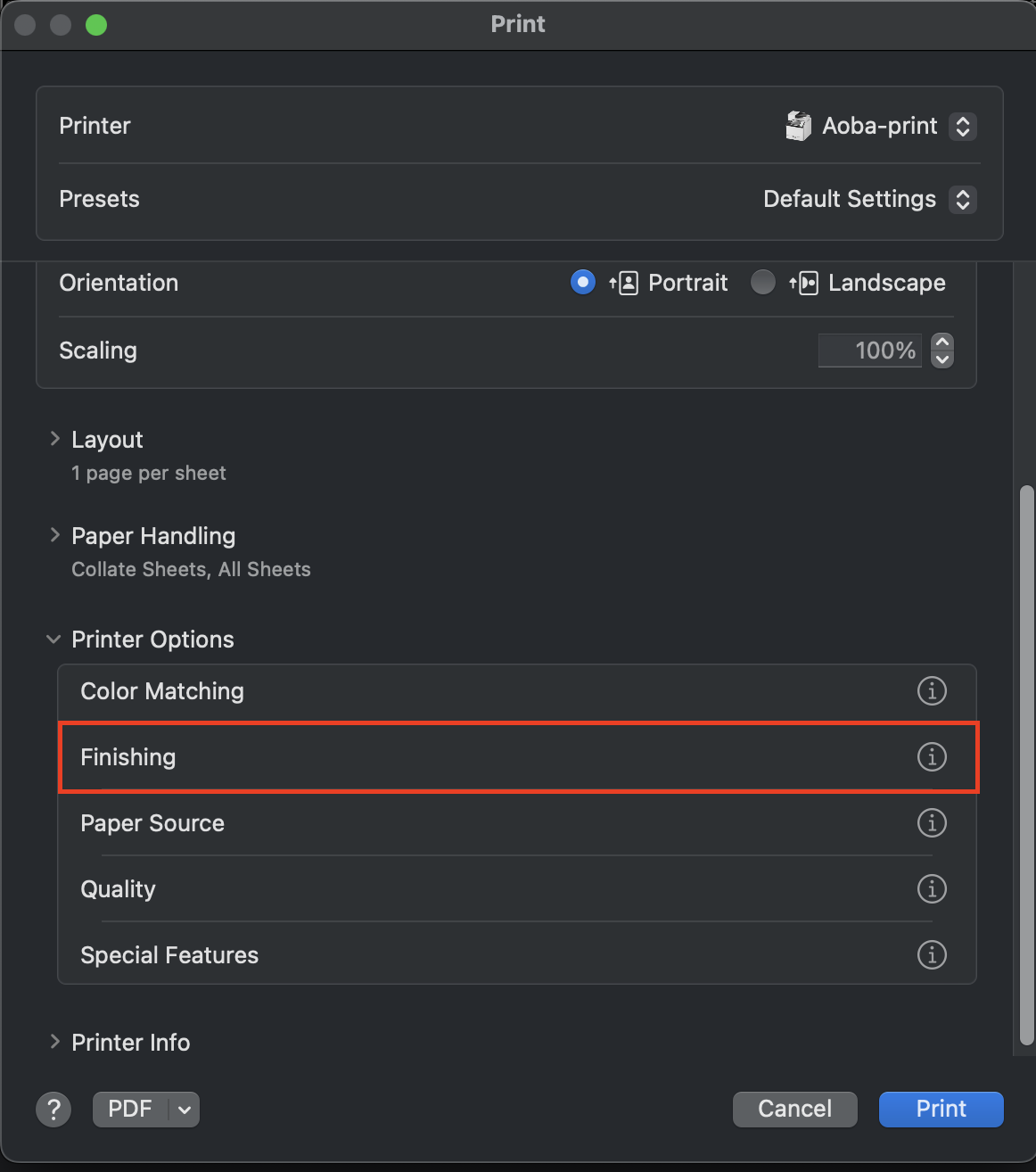
In the print dialog click the label Printer Options to expand the options.
-
Click on the Finishing list item.
-
Select 1-sided Printing from the Print Style dropdown menu.