.png)
You can upload multiple types of video files into Google Drive.
When done correctly, you can play these video files directly in the browser without the need to re-download them.
Step-by-step guide
-
Save your video file in whatever application you used to create it (iMovie, Quicktime, smartphone app etc.)
-
If possible, your video file should be in one of the following formats:
-
.wmv
-
.mov
-
.flv
-
mpeg4
-
-
In Google Drive, select "My Drive" then "Upload Files".
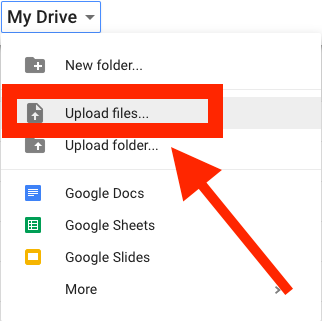
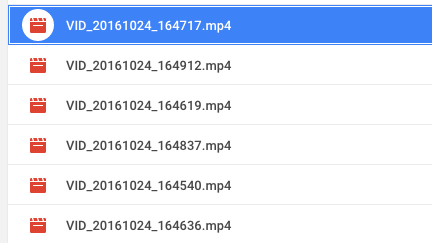
4. Browse for your video file and upload it. (Note: the icon for uploaded video files is different than other Google Docs).
5. Wait for the video to be uploaded and processed. This may take quite a well depending on the size of your upload.
6. Once uploading and processing has finished, select (double-click) the video to play.
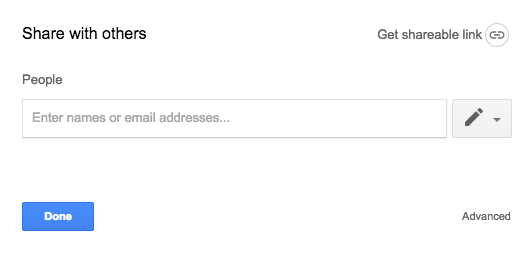
7. Click "Share" (on the upper right) to choose who can see the video. 
8. When other people view the video as a shared file in Google Drive they will not need to download it; they can view directly in the browser.
Related articles