.png)
1️⃣ Registrar Creates a Ticket
-
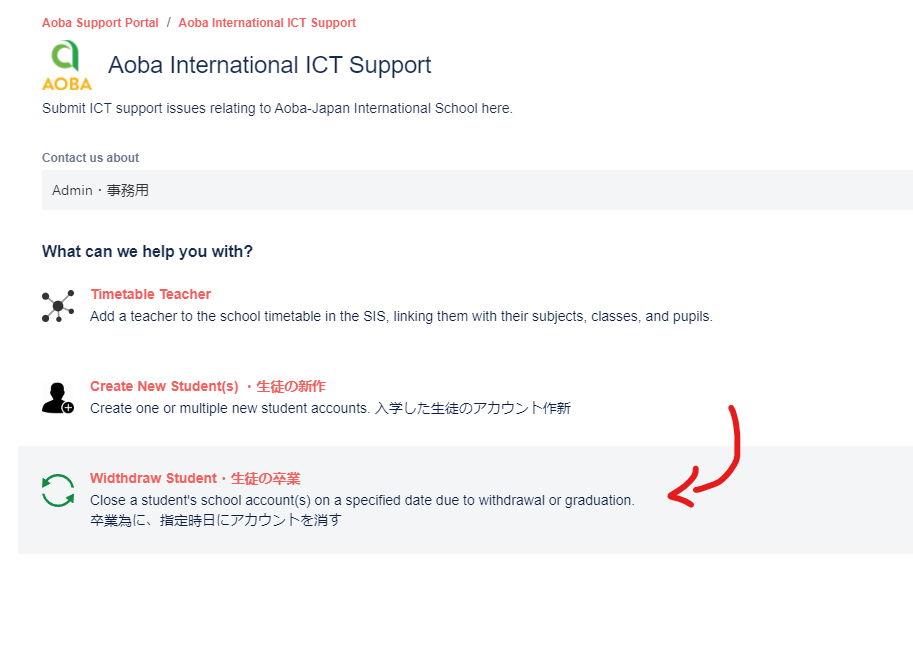
When one or multiple students leaves the school, whether it is for withdrawal or graduation reasons, please use the Withdrawn Student(s) form on the Aoba ICT Support Portal > Admin to kick off their ICT Offboarding
-
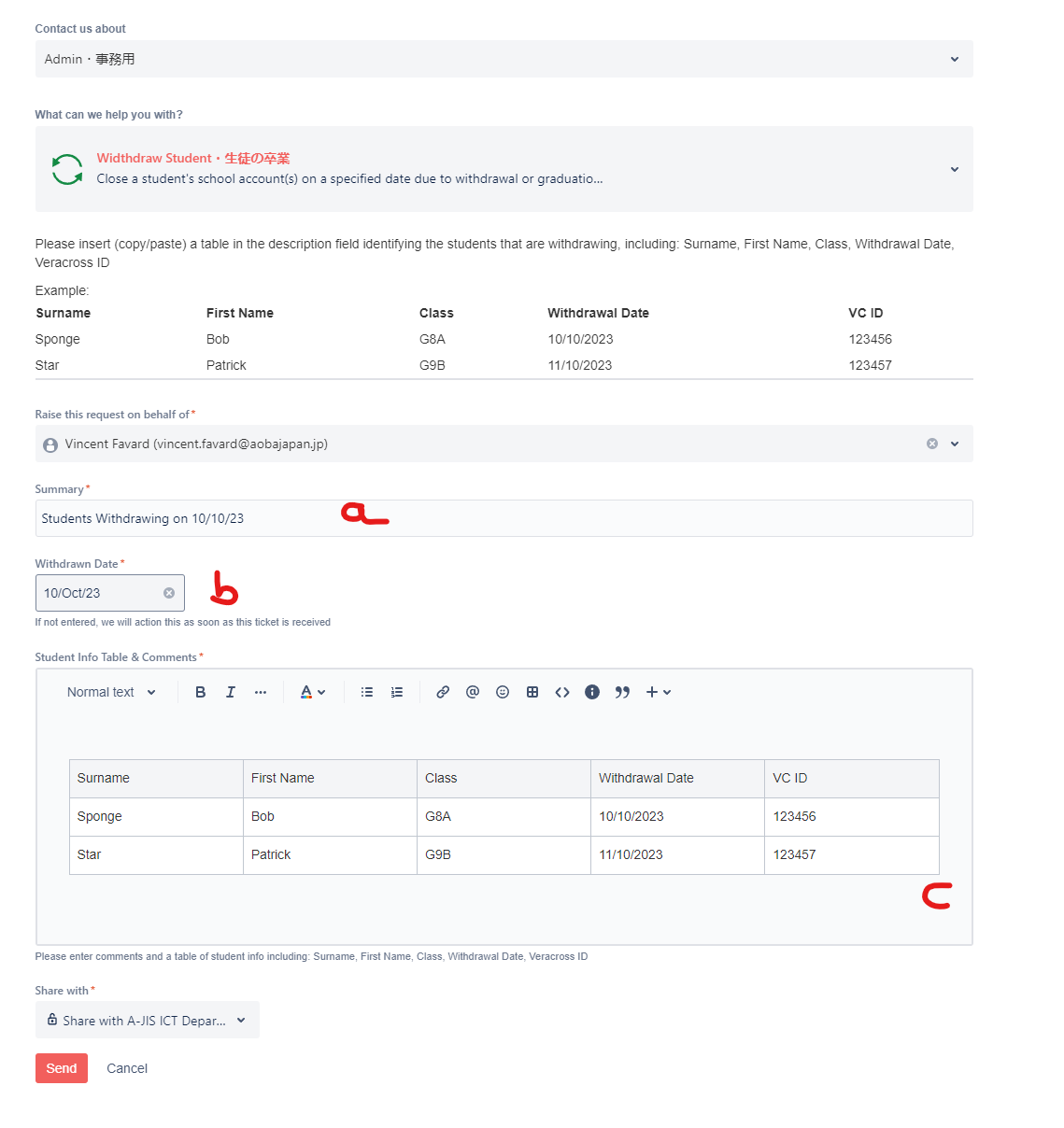
On the form, indicate:
-
A summary of the issue (eg. “Students Withdrawing on 10/10/23”)
-
Their withdrawal date (if multiple students leaving on different days, the earliest withdrawal date)
-
A table of the new students leaving (for verification purposes)
-
2️⃣ ICT Offboarding
After the ticket is received, ICT will offboard the student from our various technology platforms, after the withdrawal date has passed.
|
🖥️ Action |
📧 Communication |
|
ICT removes the students from Google Groups |
N/A |
|
Where applicable, ICT concludes the enrollment in all courses for that student on Canvas |
N/A |
|
Where applicable, ICT removes the students from the Seesaw class and archive their account. |
N/A |
|
Where applicable, ICT removes student accounts from Seesaw, Adobe, Reading Eggs,Typing Club, RazKids, and Minecraft |
N/A |
Notes:
-
After 3 years have passed since the withdrawal date, ICT will suspend the student’s email account.
-
After 7 years have passed since the withdrawal date, ICT will delete the student’s email account.