.png)
From August 2025, Seesaw is no longer accessible. Before we lose access to Seesaw, teachers need to do the following:
Seesaw activities that are kept in "My Library” will not be moved to Toddle
📘 Aoba-Japan’s Seesaw School Library Migration to Toddle
1️⃣ Housekeeping Your Activities in "School Library”
-
Log into your Seesaw Teacher Account:
-
Click "Library"
-
Select "School Library"
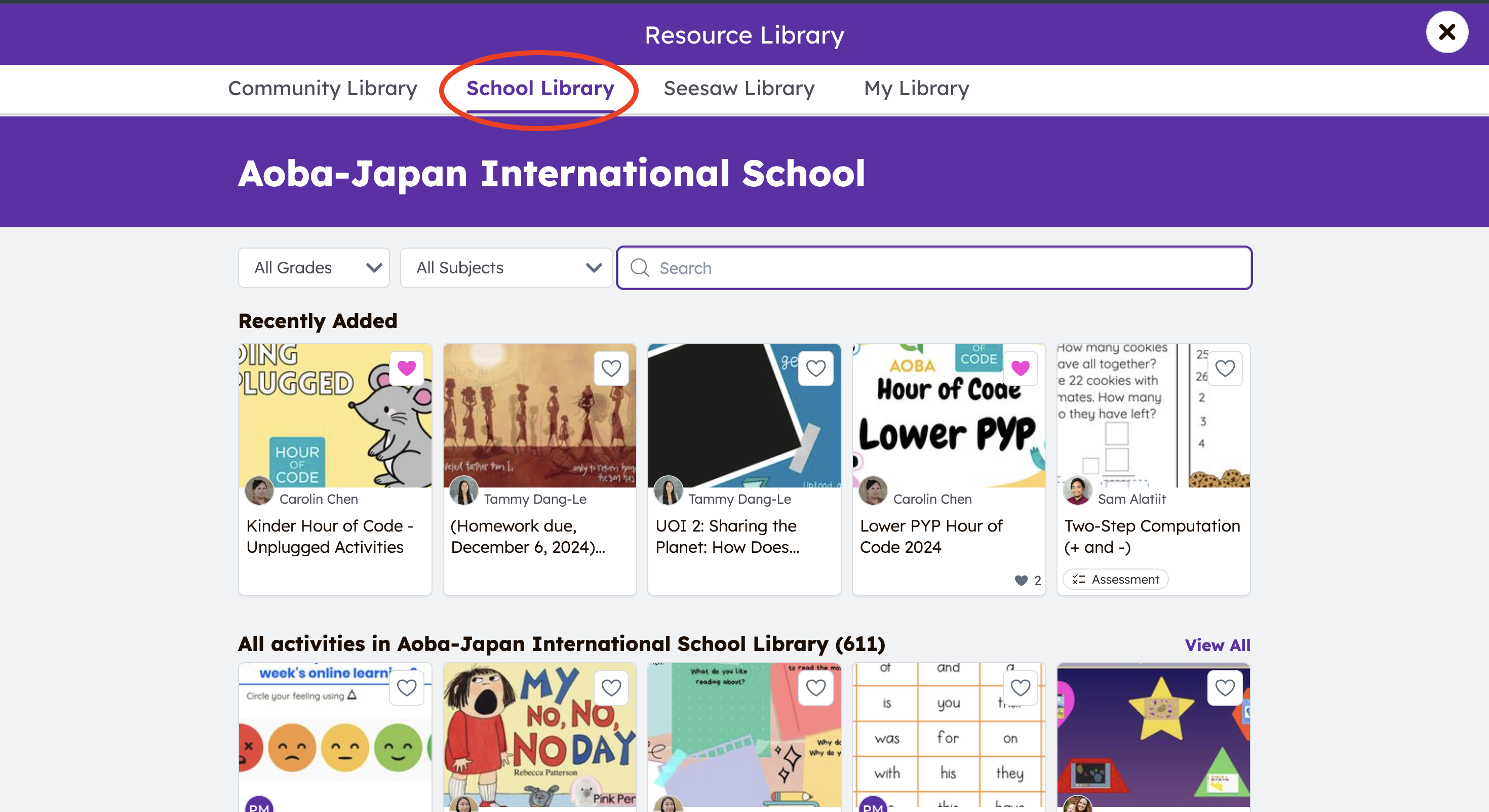
-
Browse through the activities; search them via Grades and/or Subjects.
-
-
Select the activity, and click the 3 dots.
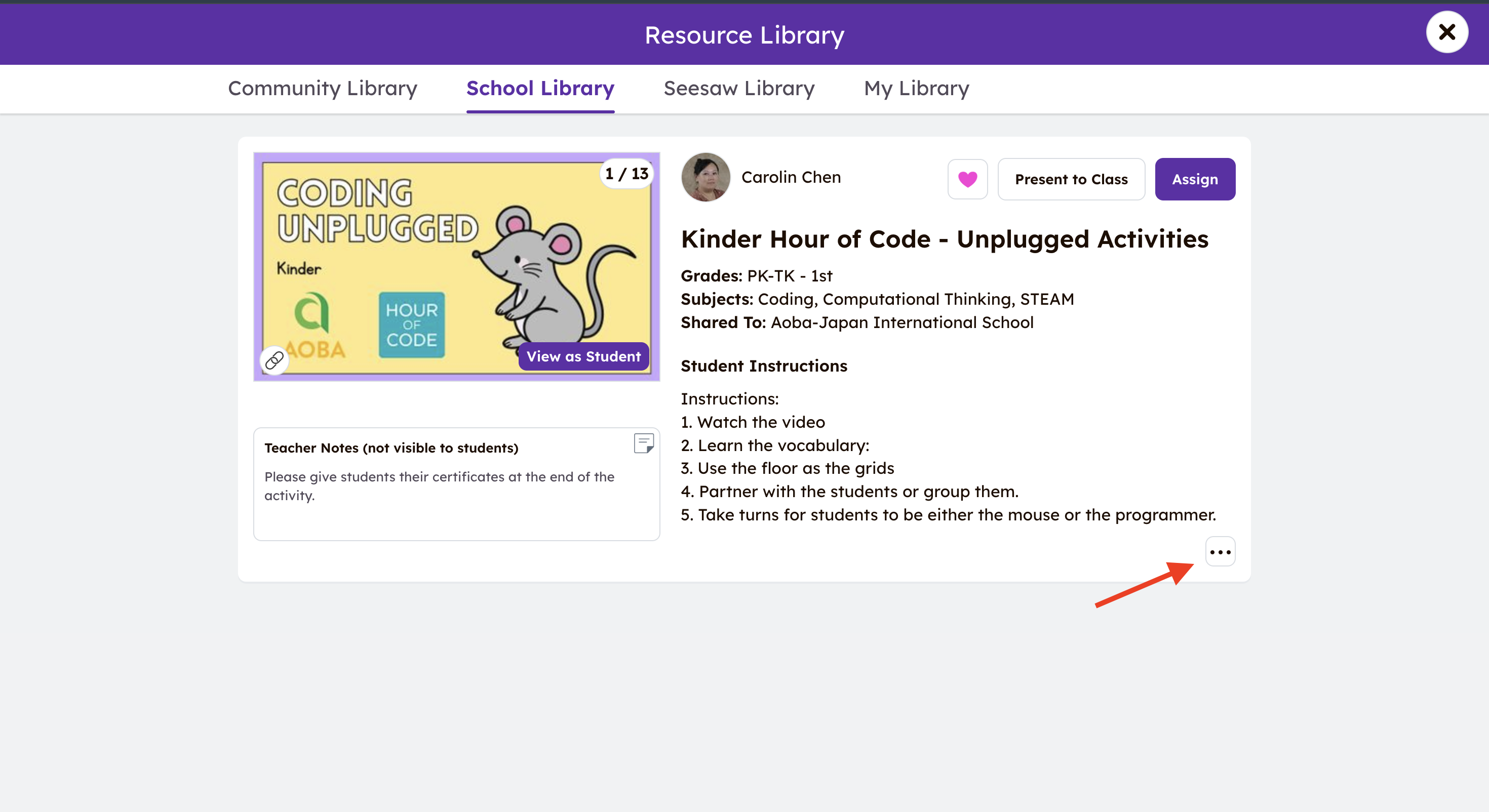
-
Step 3: Click “Edit activity"
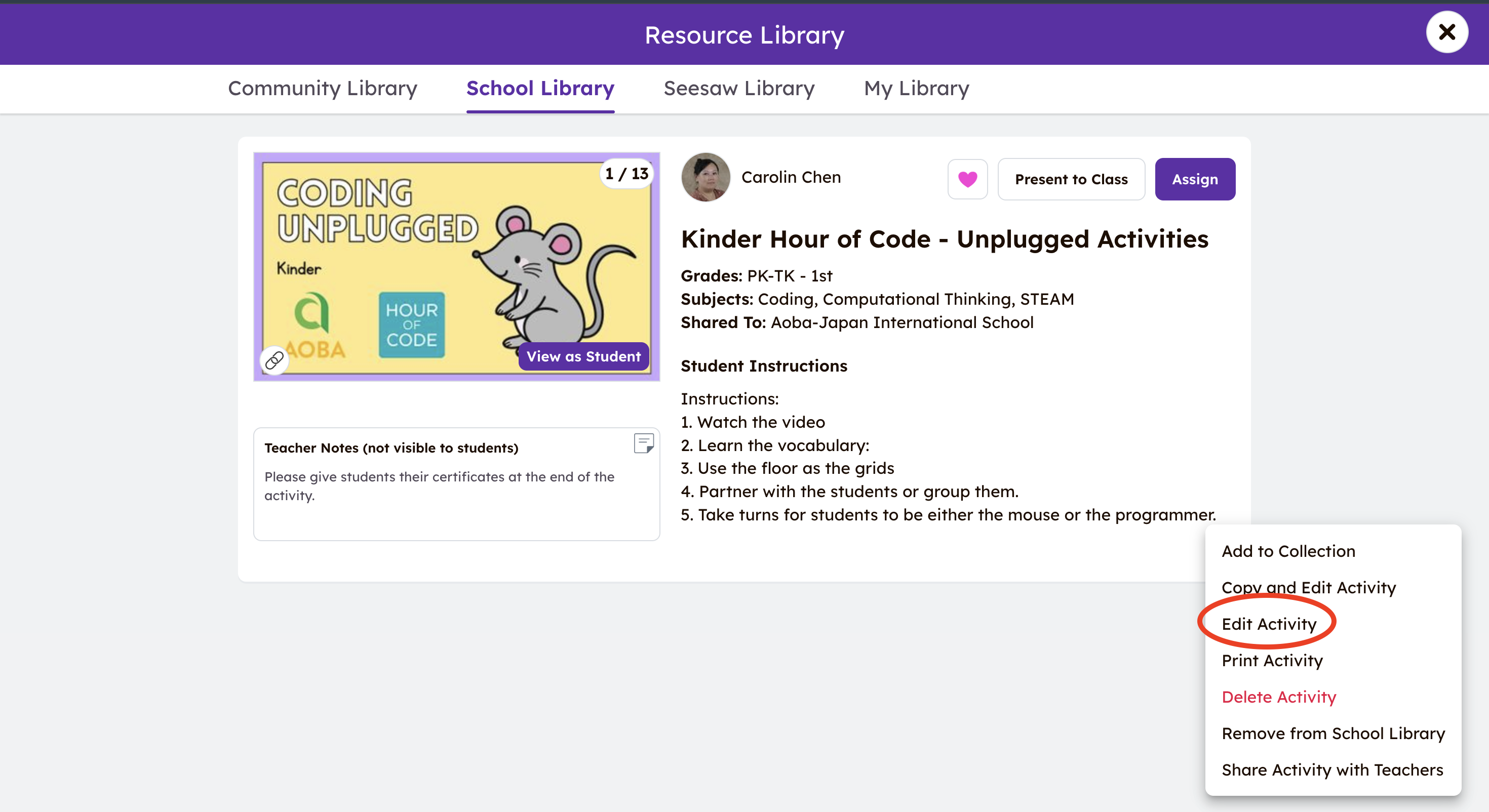
-
Step 4: Edit the name of the activities based on Grade Level - UOI # - Subject.
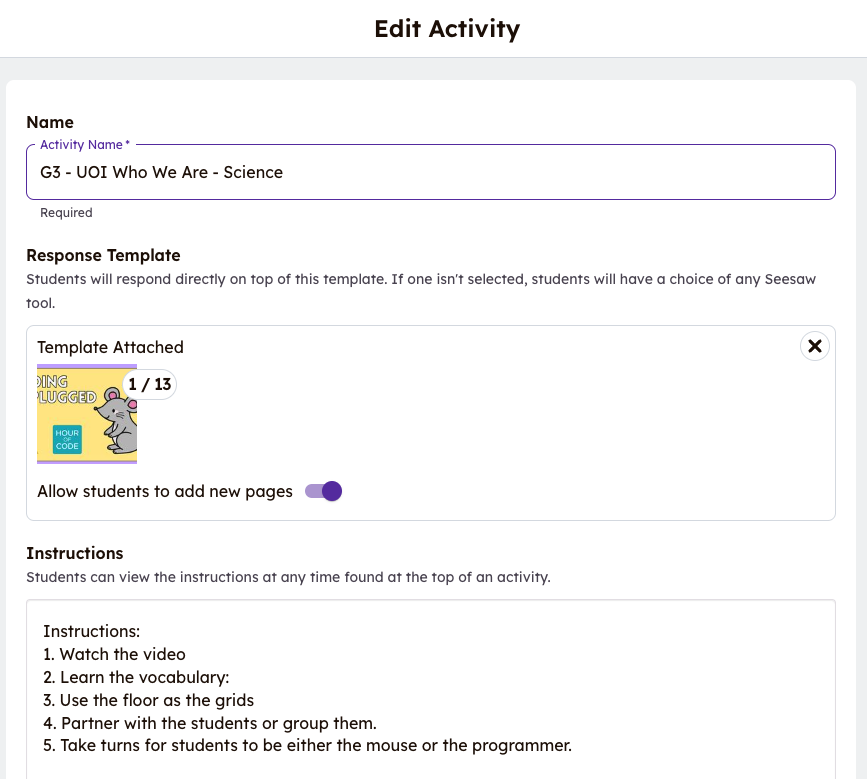
For Meguro teachers, please add "M” at the beginning of the name. Thank you!
2️⃣ Moving Your Activities to "School Library”
-
After logging in, proceed to "Library":
-
Click on "My Library".
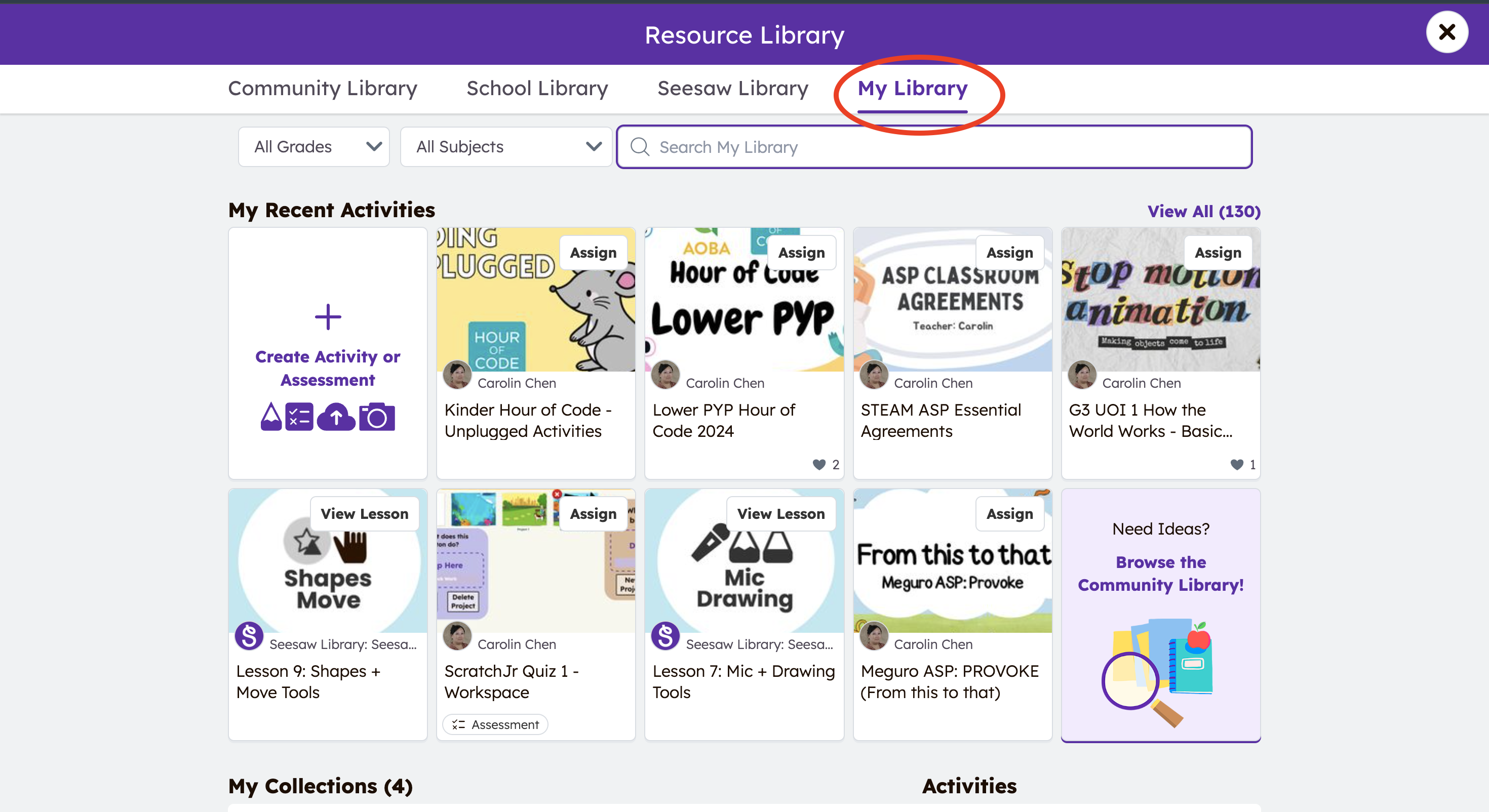
-
Click on the activities you would like to keep and move to Toddle.
-
Refer back to Step 2 of the above instructions.
-
Once you have edited your activity, it’s time to share.
-
Click on the 3 dots again, and click "Share activity with teachers".
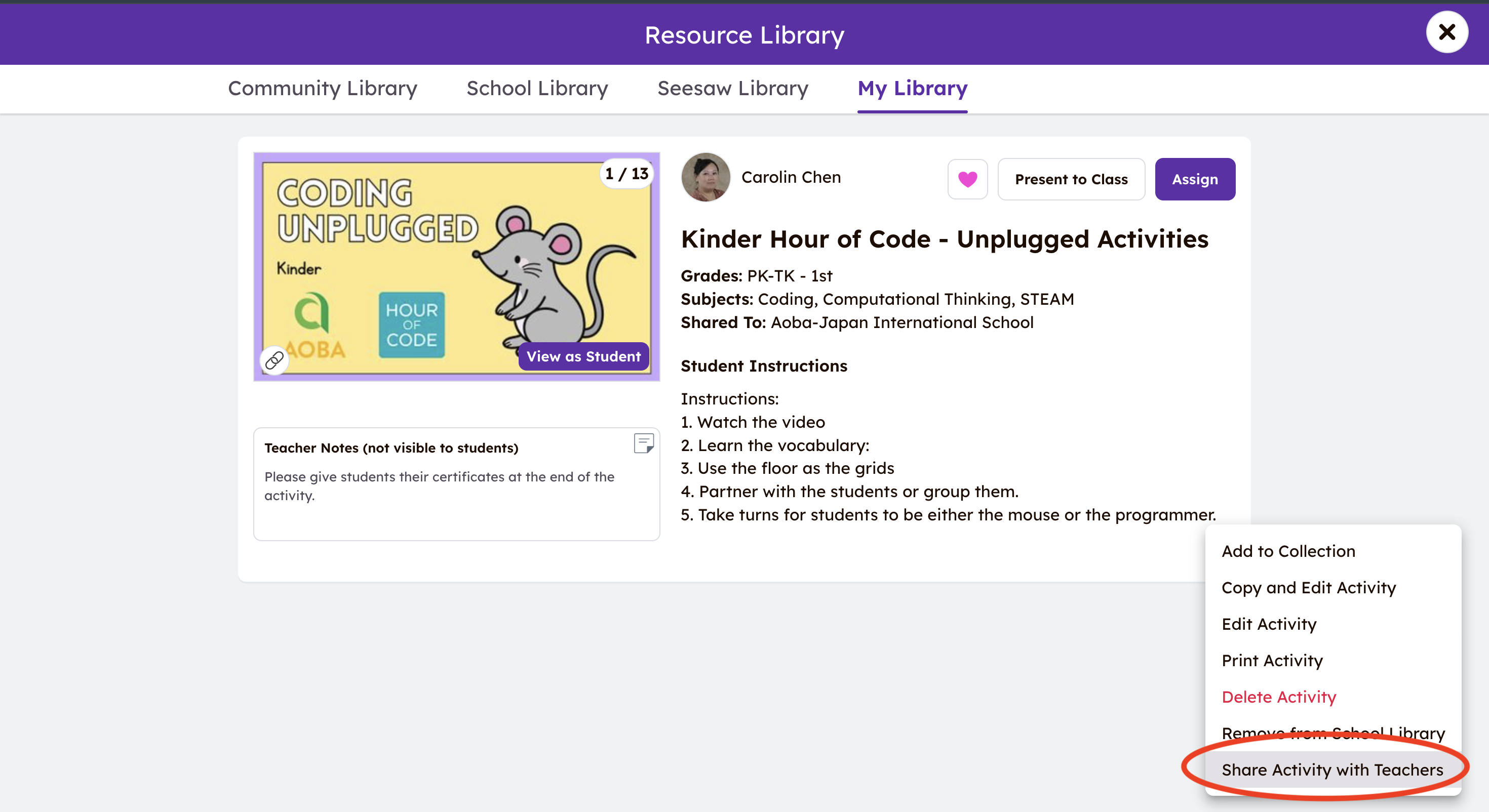
-
Ensure this step is AFTER you have edited the name of the activities. Click "Share”.
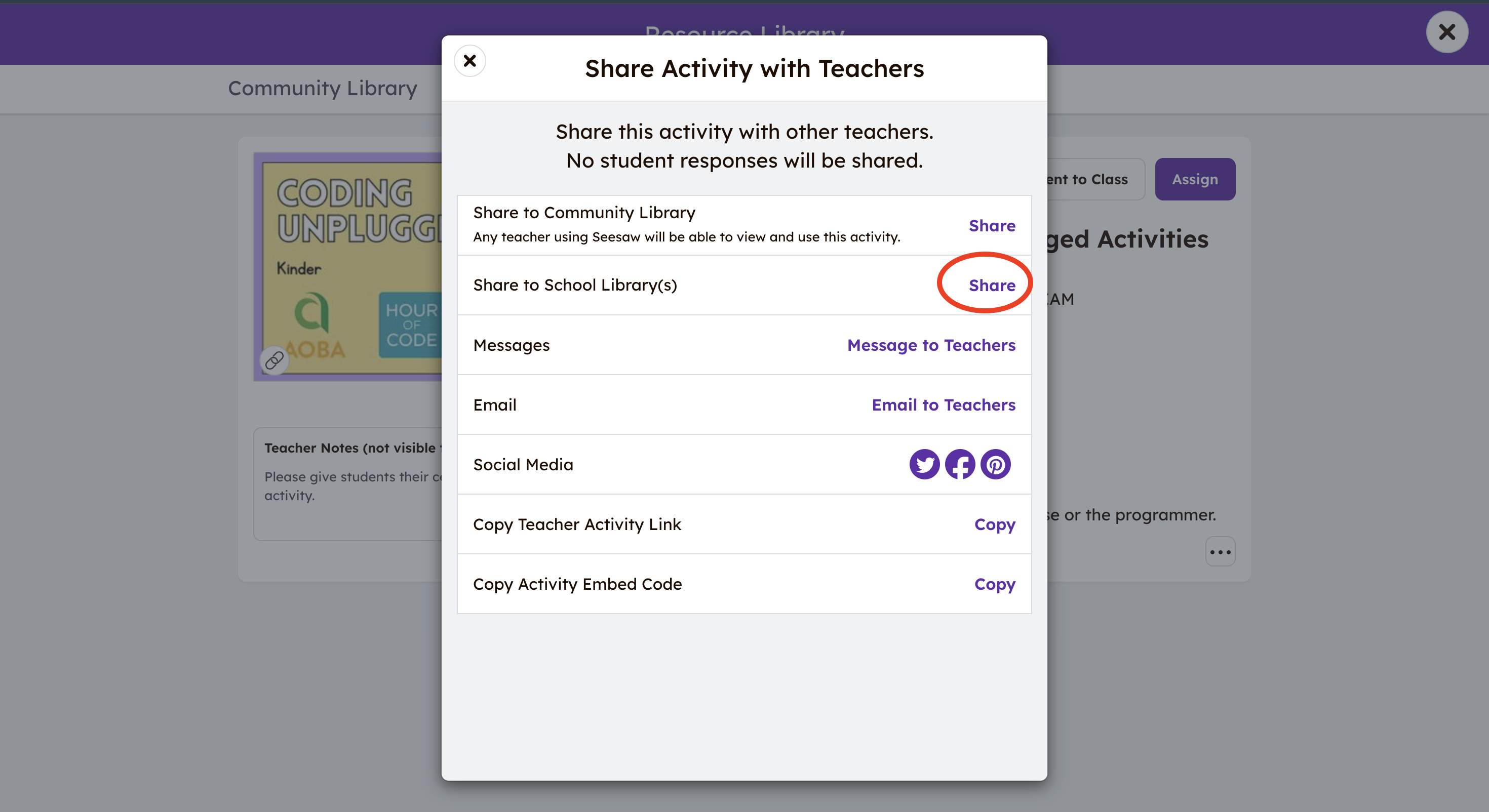
-
Select the grade levels, and the related Subjects. Then, click "Share".
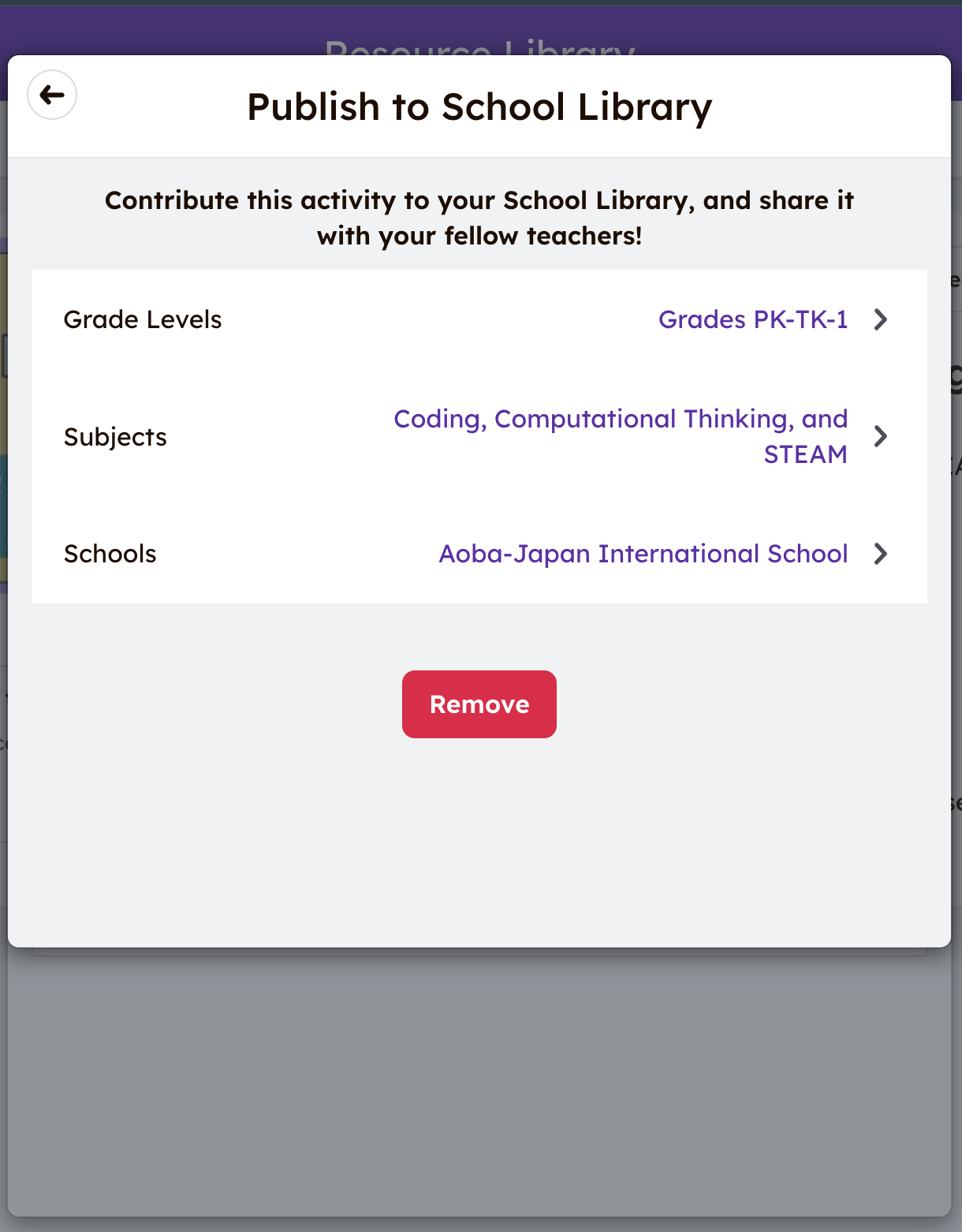
-
Only the teachers who own the activities can edit and change the activities.
-
Student Instructions cannot be empty.
📘 Moving Activities from "My Library” to "School Library”
If you have any inquiries, please reach out to help@aobajapan.jp