.png)
International Baccalaureate Diploma Programme (IBDP) levels can be added to courses, enrollments, and assignments.
In order for IB DP levels to be available at the assignment level, the course must first be identified as as an IB DP course.
📘 Add IB DP Levels to Courses
-
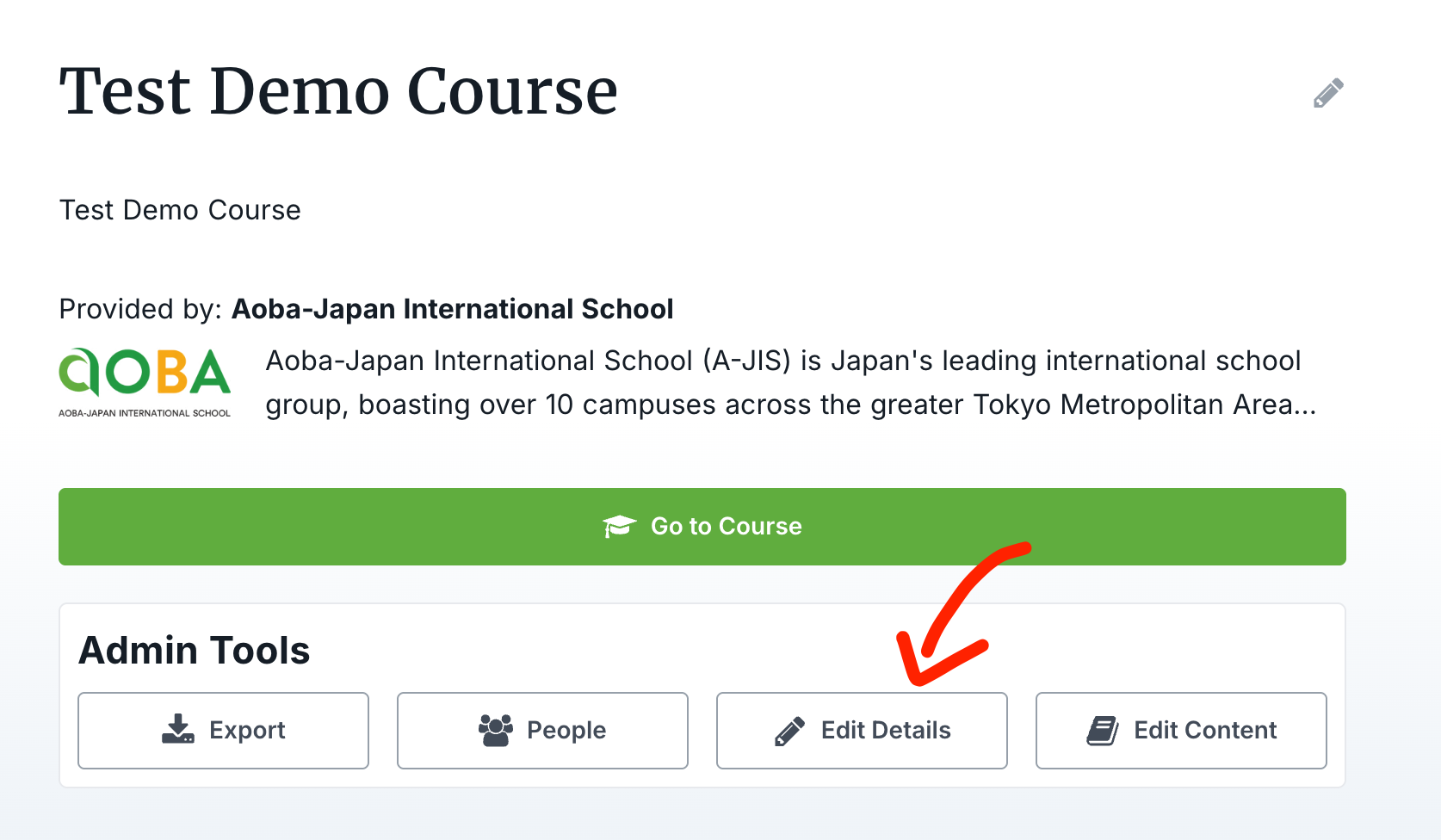
On the course’s page, click “Edit Details”:
-
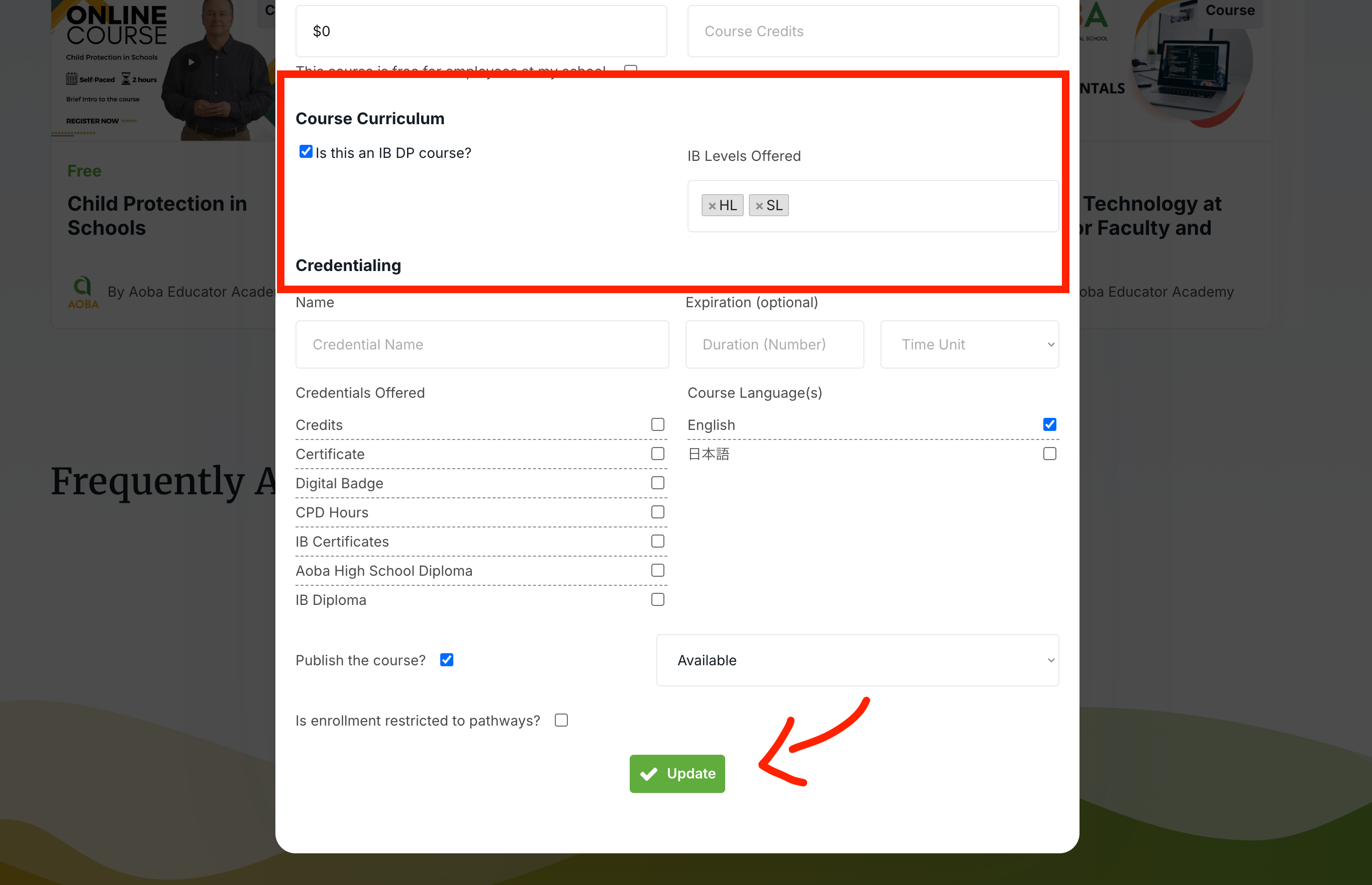
On the form to edit the course, tick the box to indicate that this is an IB DP course, and indicate the available levels, before clicking “Update”
📘 Add IB DP Levels to Enrollments
-
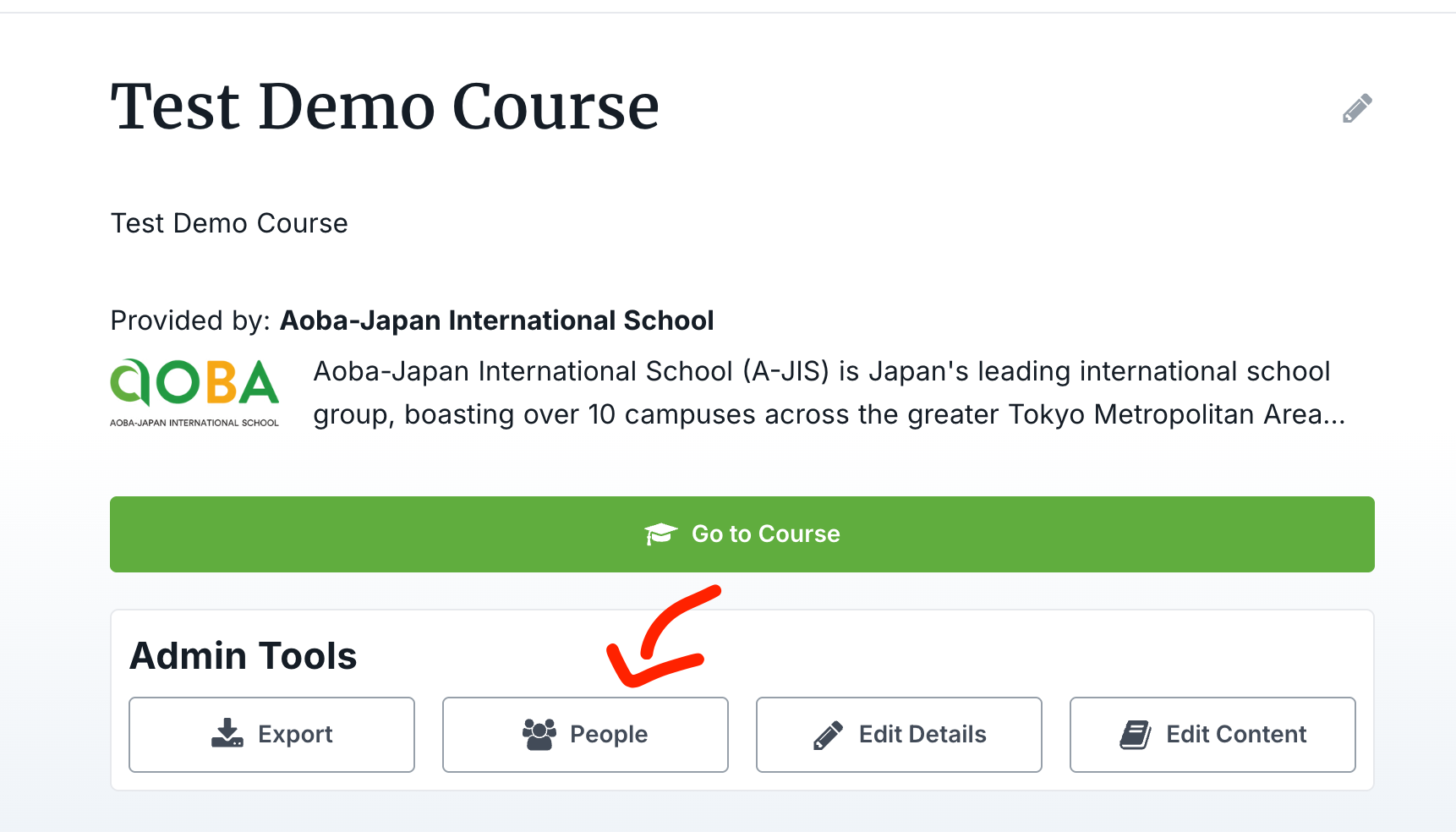
On the course’s page, click “People”:
-
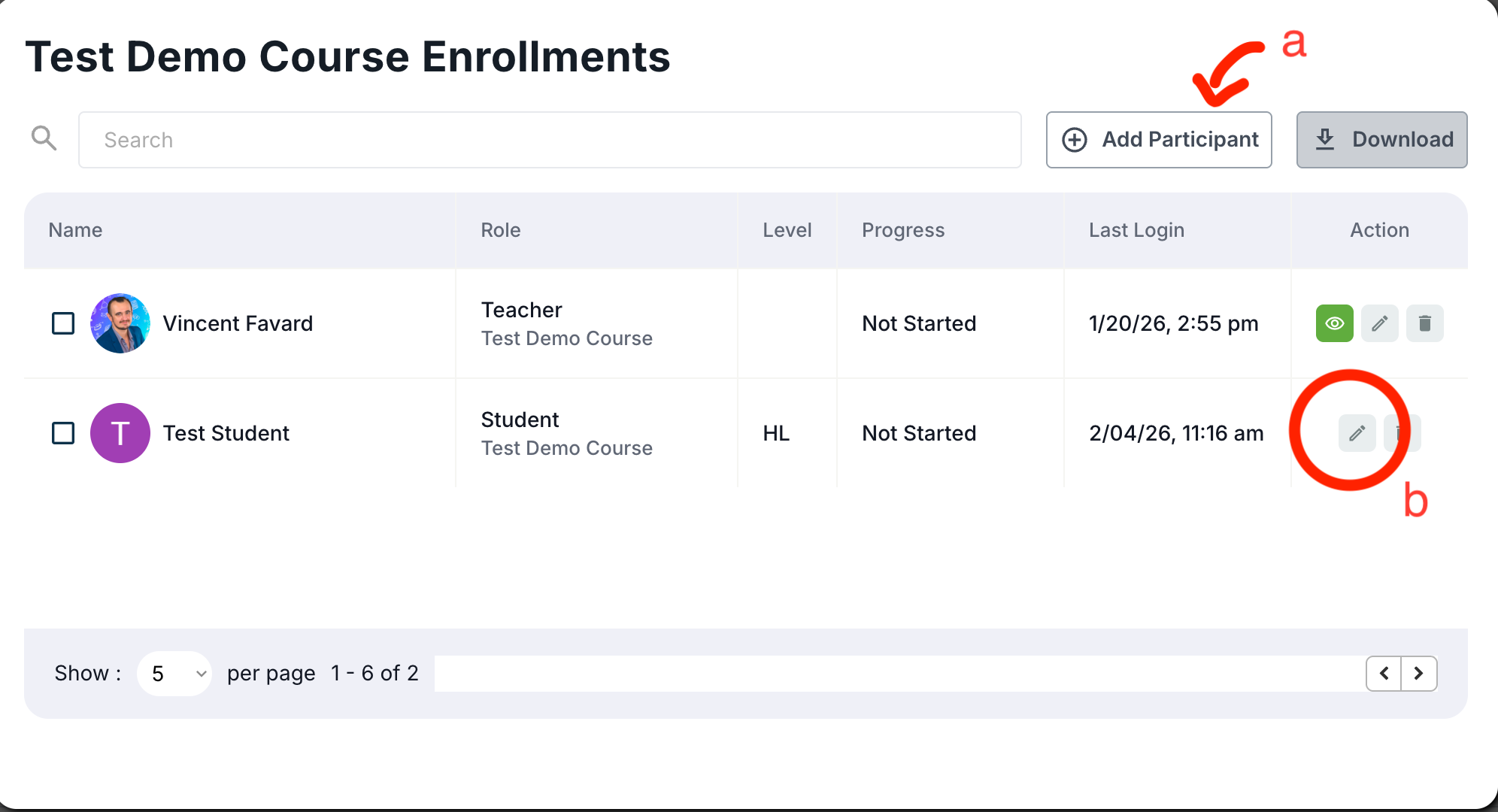
To add a student to the course, click “Add Participant” (a), to edit a current enrollment, click the pencil icon, in the user’s row (b)
-
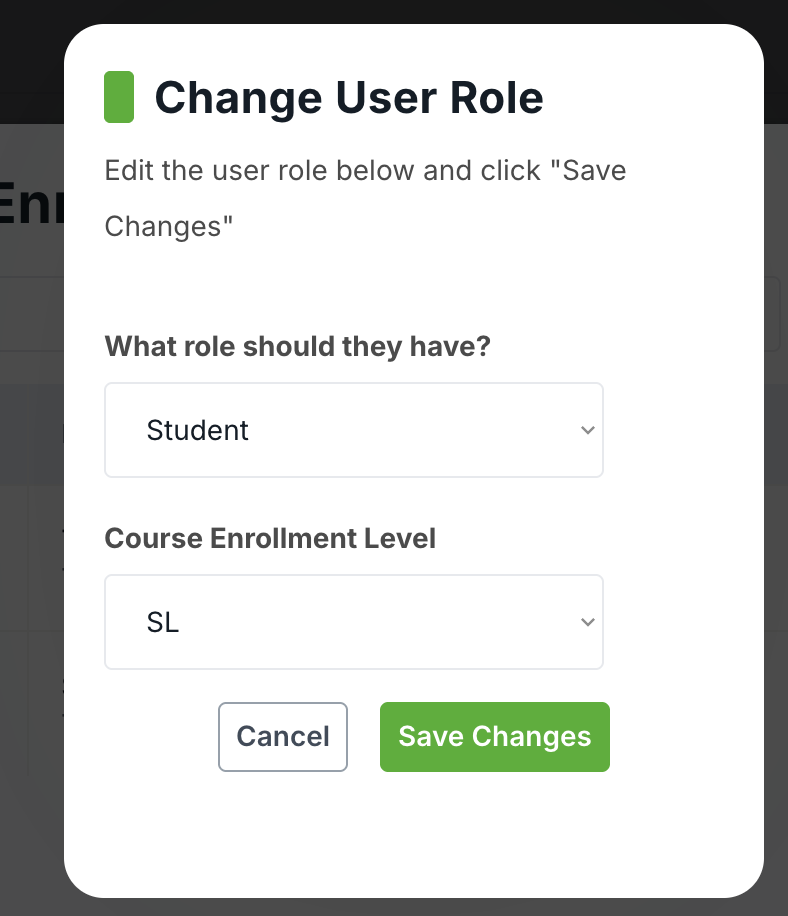
On the form, if the role is set to “Student”, and if the course is marked as an IBDP course (see above), the Course Enrollment Level dropdown should appear:
📘 Add IB DP Levels to Assignments
-
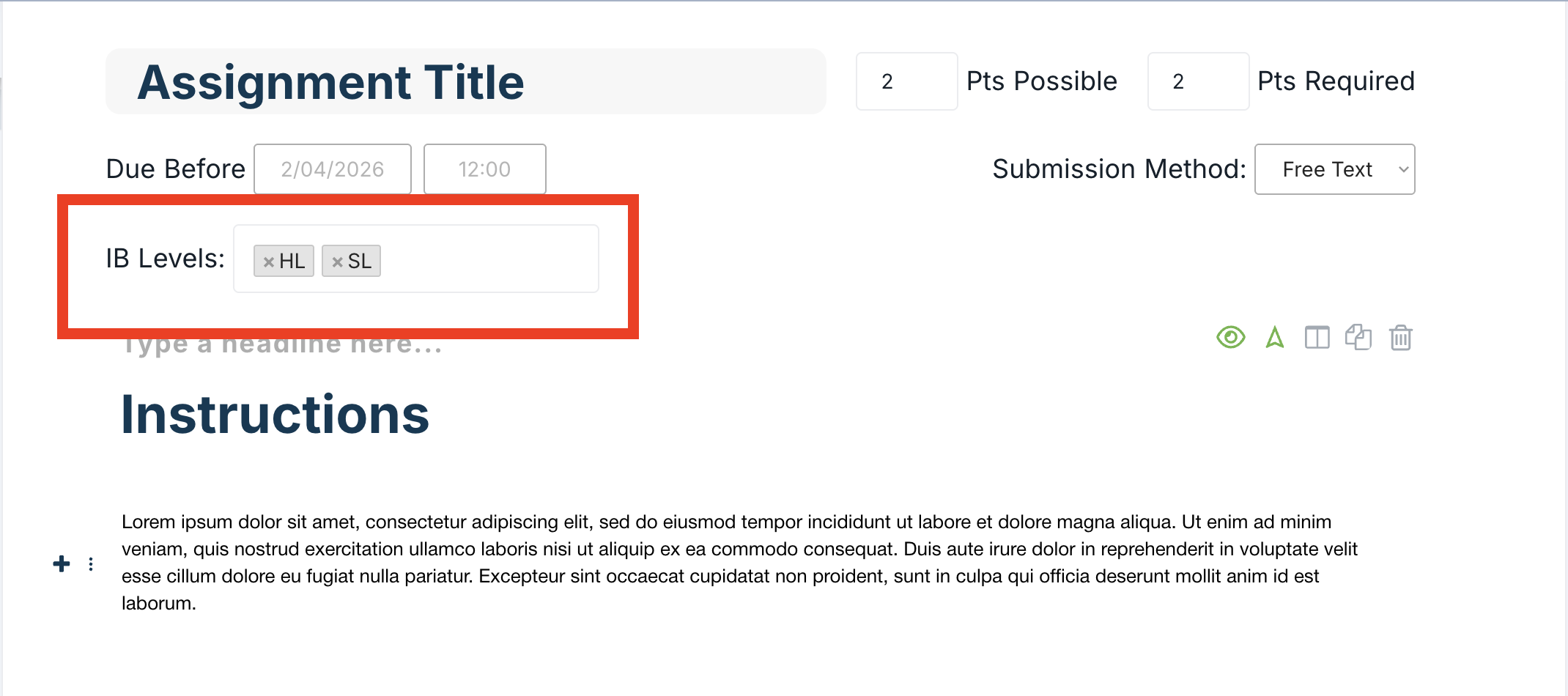
On an assignment’s page, you can assign levels for the assignment if the course is configured as an IB DP course:
-
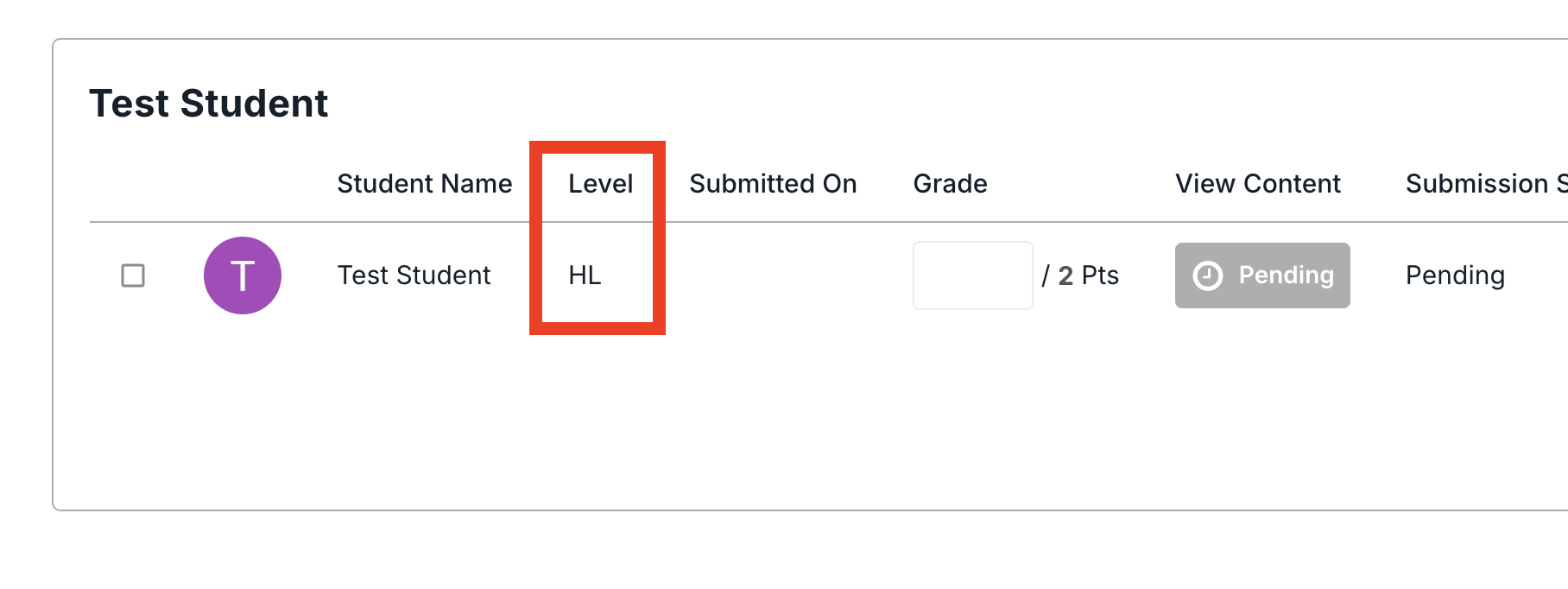
The table displaying the students' submissions will show their enrollment level at the time of submission:
If you cannot set IB Levels for an assignment, make sure the course is marked as an IB DP course (See above)
If a student submission does not display the correct level, even after the course and assignment have been correctly configured, make sure that the student’s level is correctly identified under the People form (see above)