.png)
After scanning the documents to the FileServer, here are the steps to retrieve the documents from there:
-
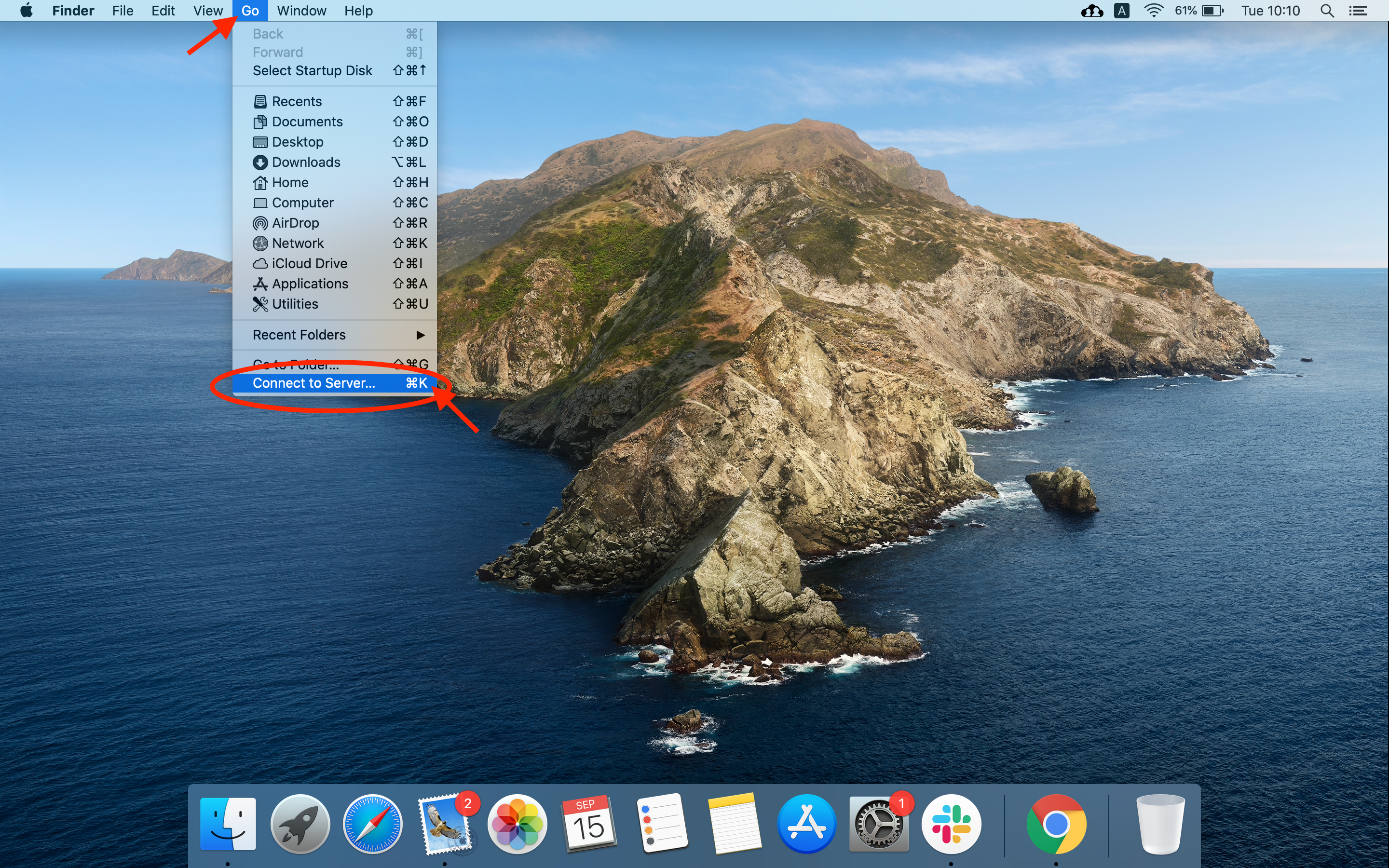
Click “Go” at the top of the taskbar, and select “Connect to Server”:
-
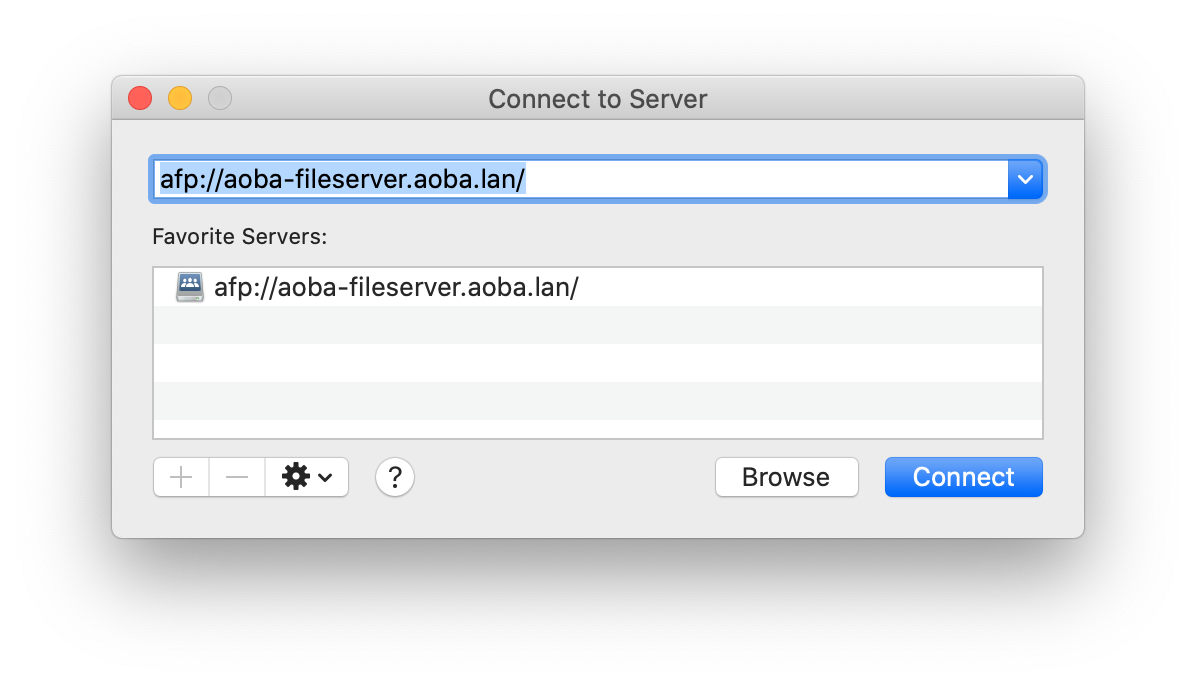
Type in the server url: afp://aoba-fileserver.aoba.lan/ or afp://10.3.1.13
-
Login using JumpCloud username and password.
Username format: firstname.lastname (no “@aobajapan.jp“)
-
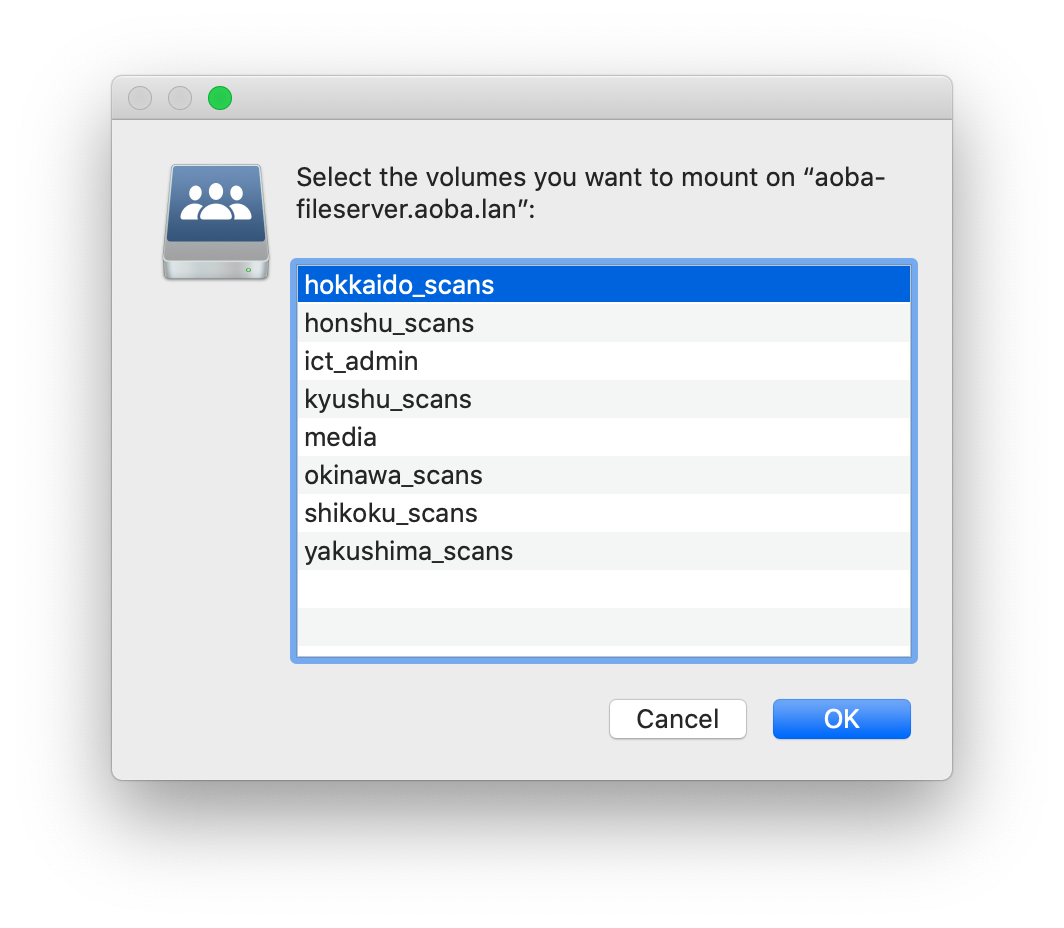
Select the machine that was used to scan, then click “OK”:
-
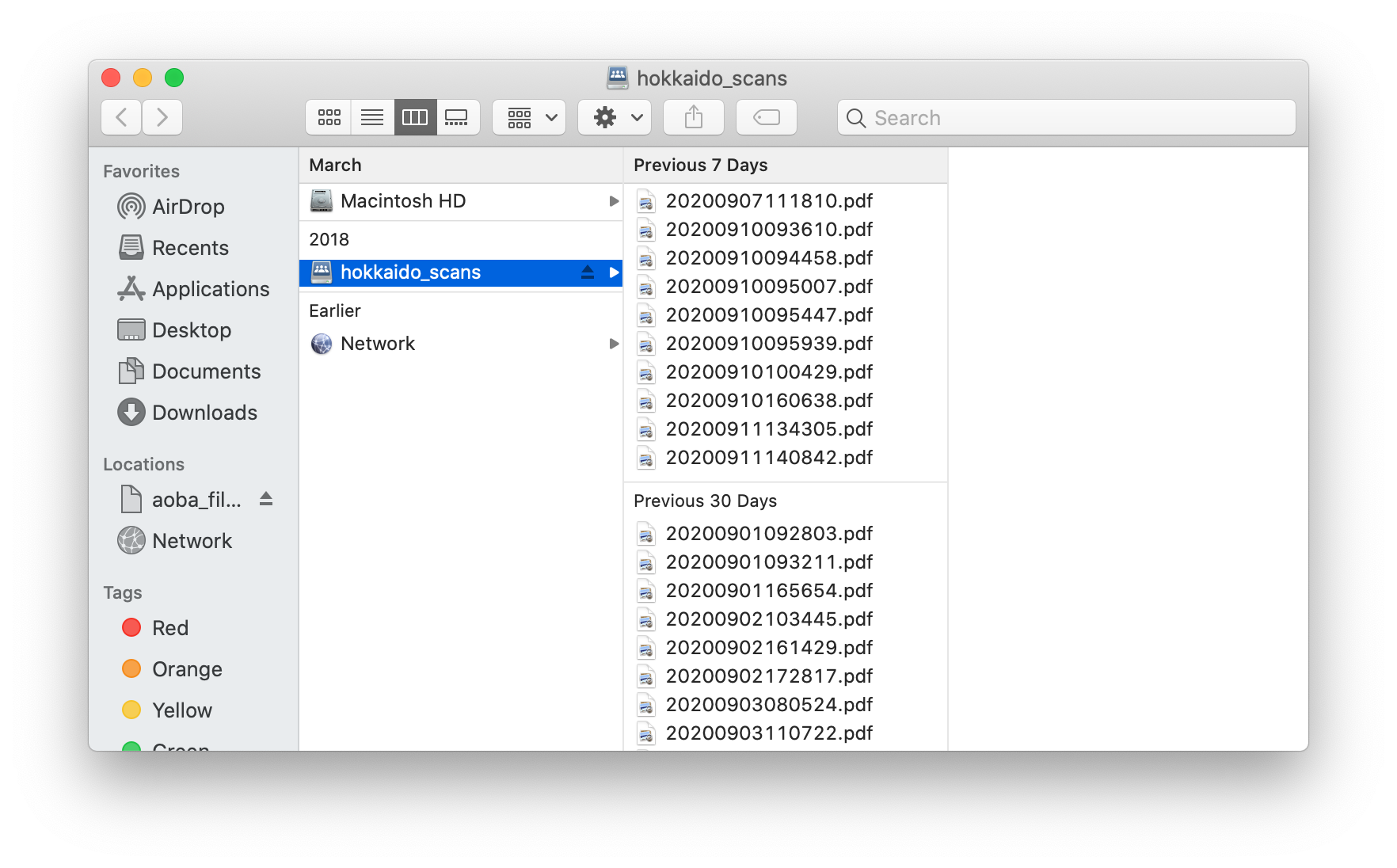
And locate the respective scanned documents from there: