.png)
-
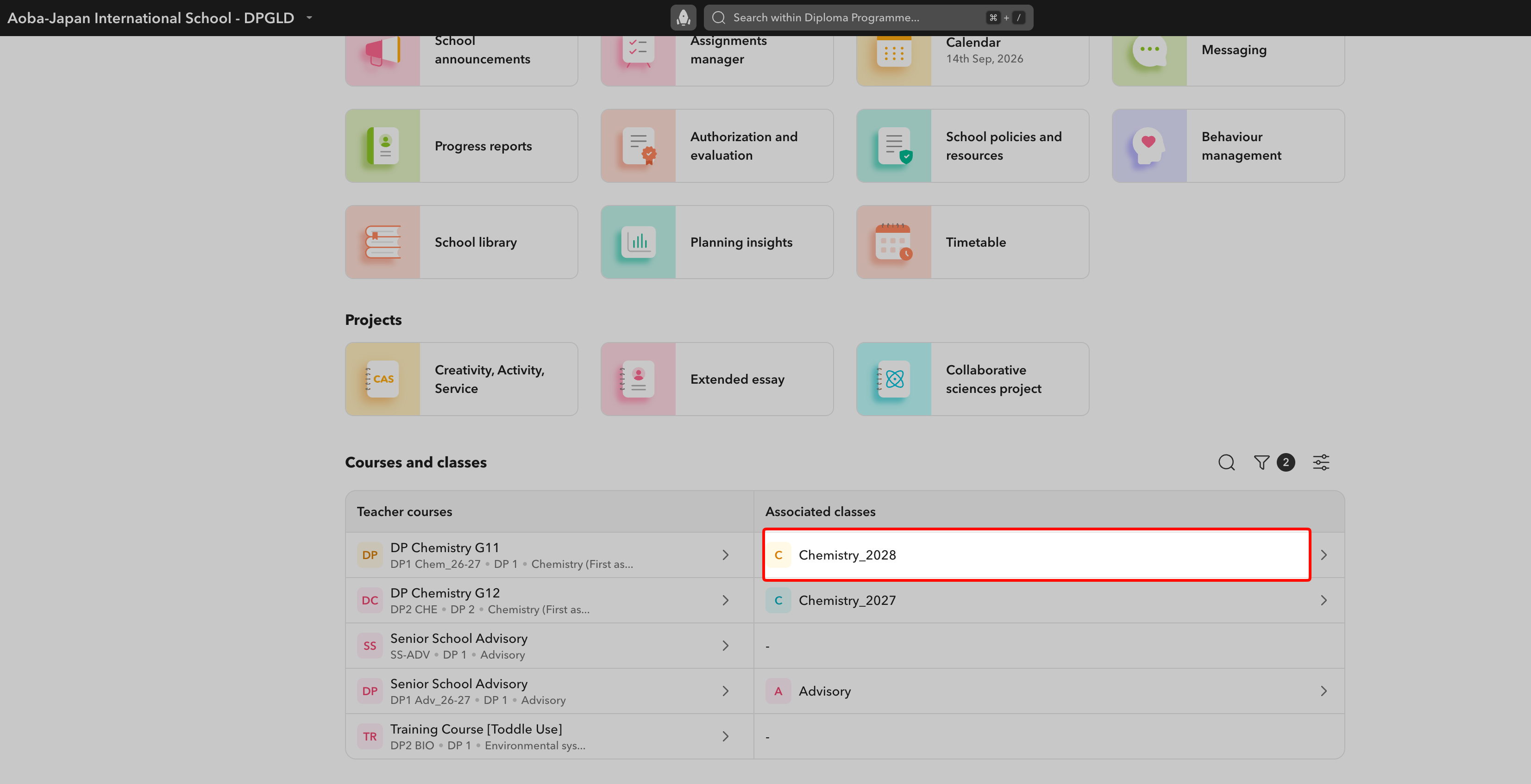
Find the class on Toddle:
-
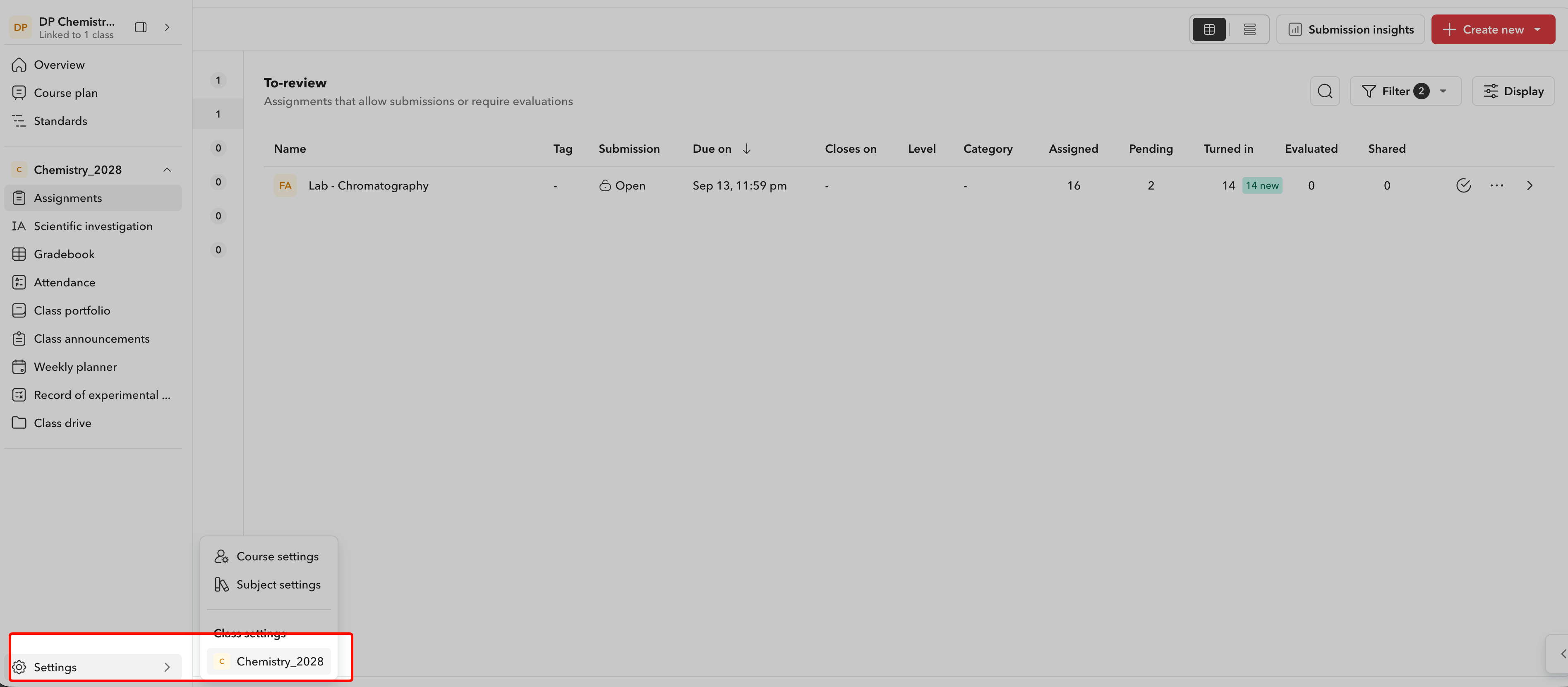
Navigate to the class settings
-
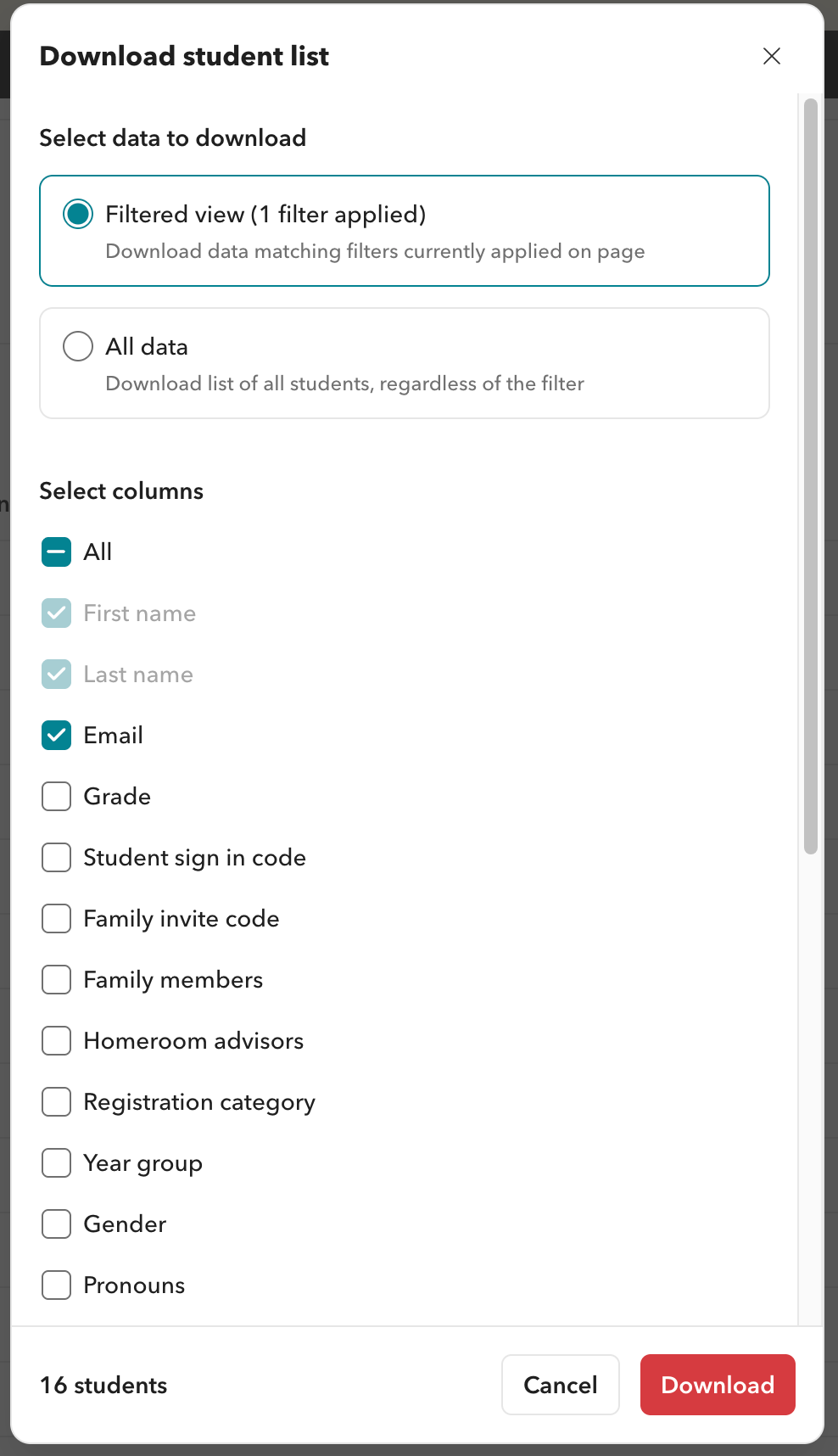
Download the list of emails

-
Open the file and copy the list of emails
-
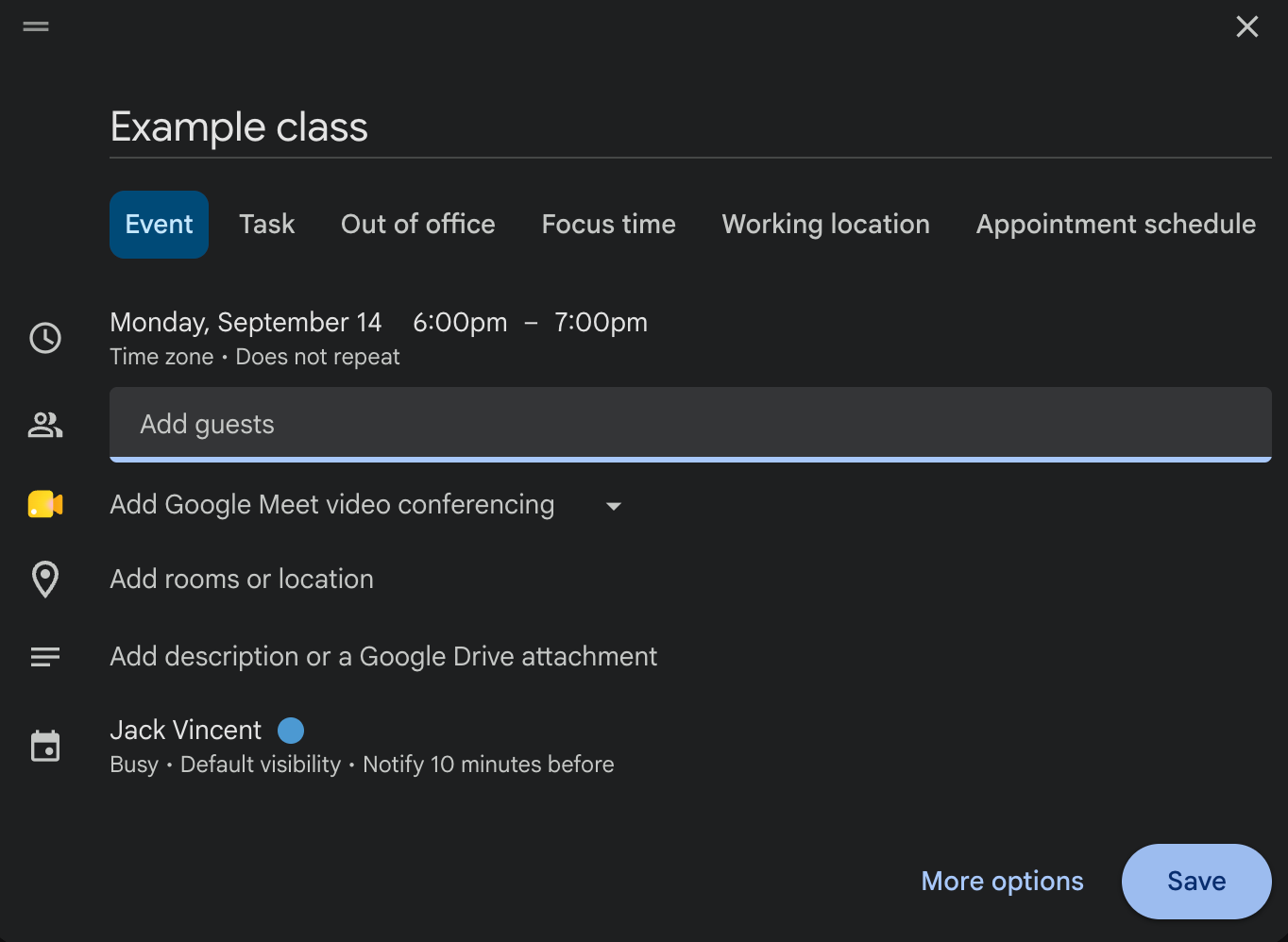
Open Google Calendar, create your event and hit save
-
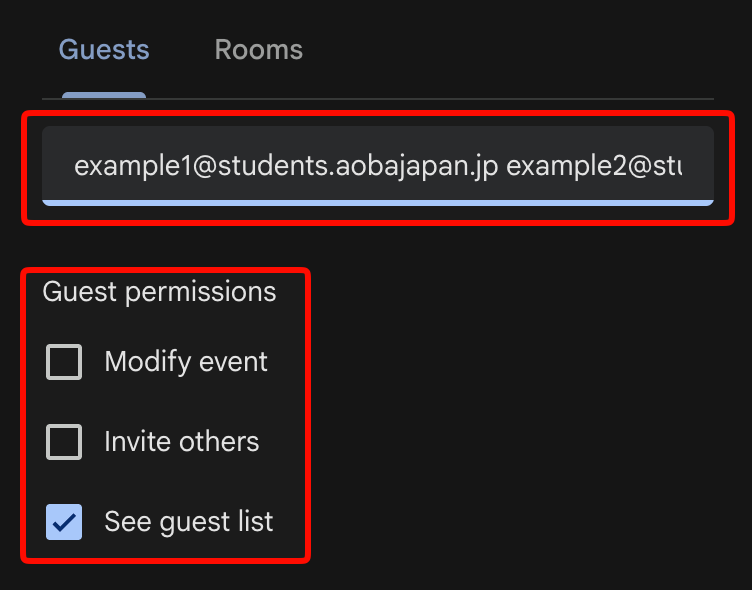
Click on the event and hit the pencil icon to edit it. Paste in the list of guests. Change the permissions on the event to match those shown in the picture:
-
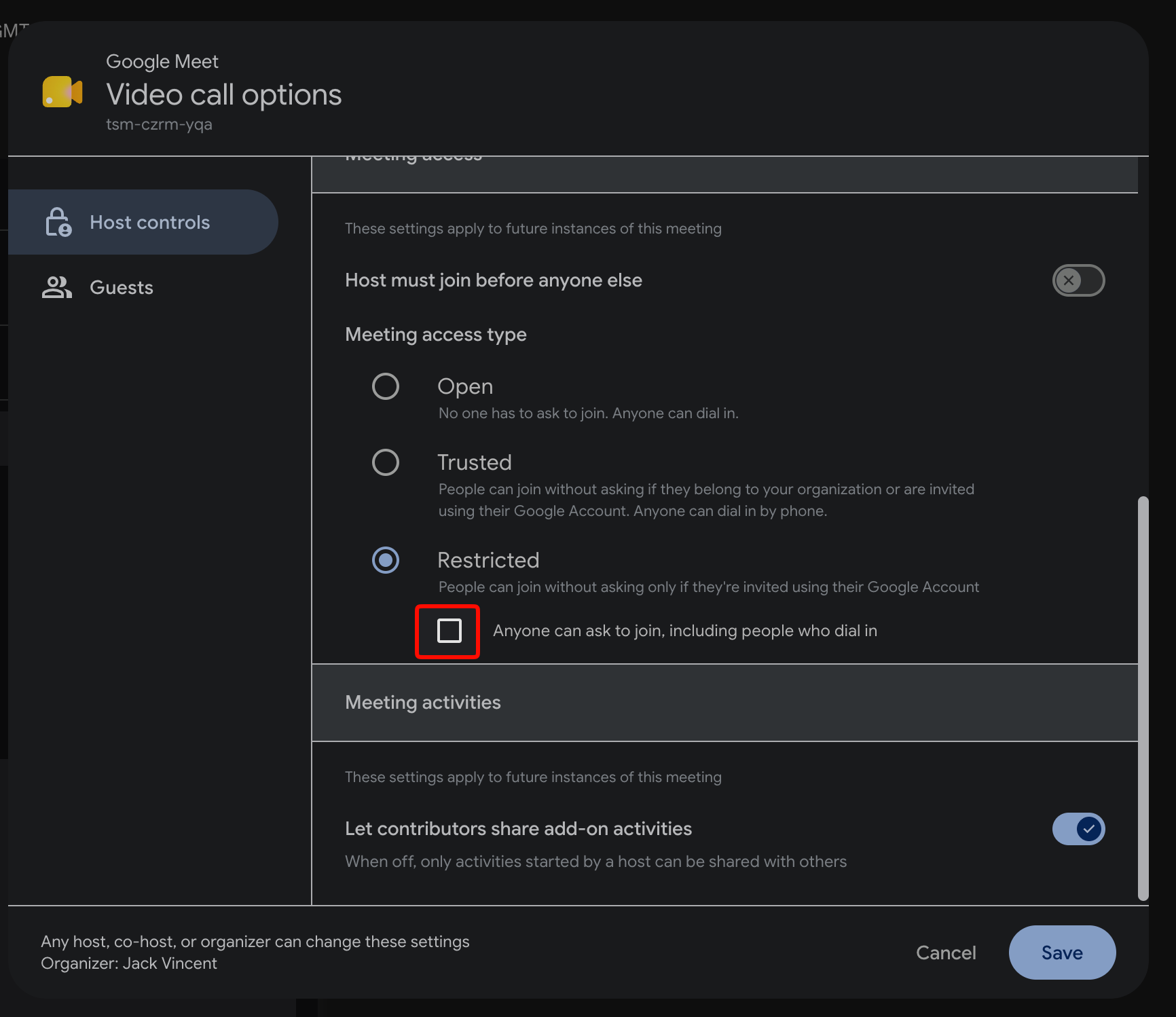
Add a Google meet link, click on the settings icon for the Google meet and uncheck the box that says ‘Anyone can ask to join, including people who dial in’.

-
Send out the invite or the Google meet link to your class.