.png)
For security purposes, JumpCloud passwords expire one year from the creation date of a new password. Not updating your password within this time will cause you to get locked out of your MacBook. Changing your JumpCloud password will also change your password for Google, PaperCut, SnipeIT, BenQ, and Microsoft.
📘 Password Update
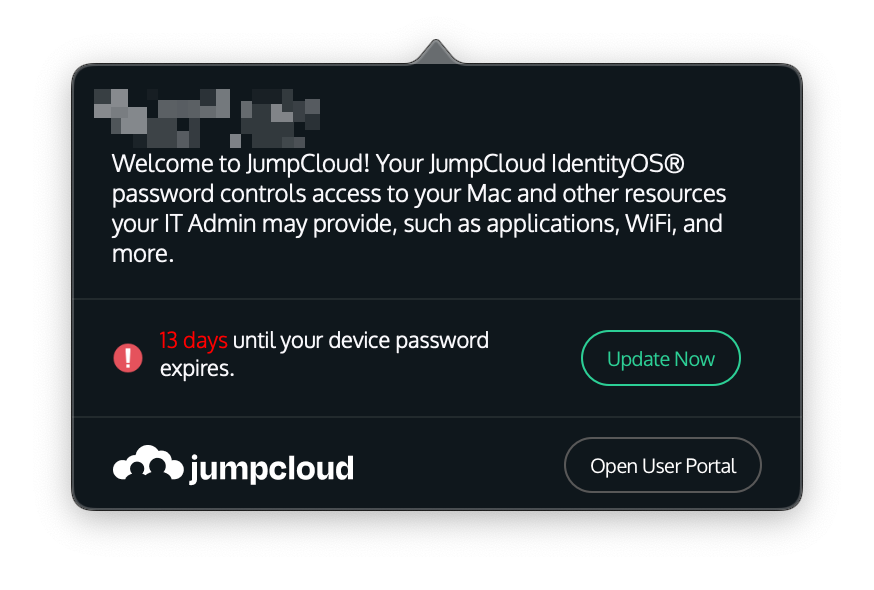
You will get a red notification icon in the menubar attached to the JumpCloud icon 
-
Click the icon on the menubar and then click the Update Now button
-
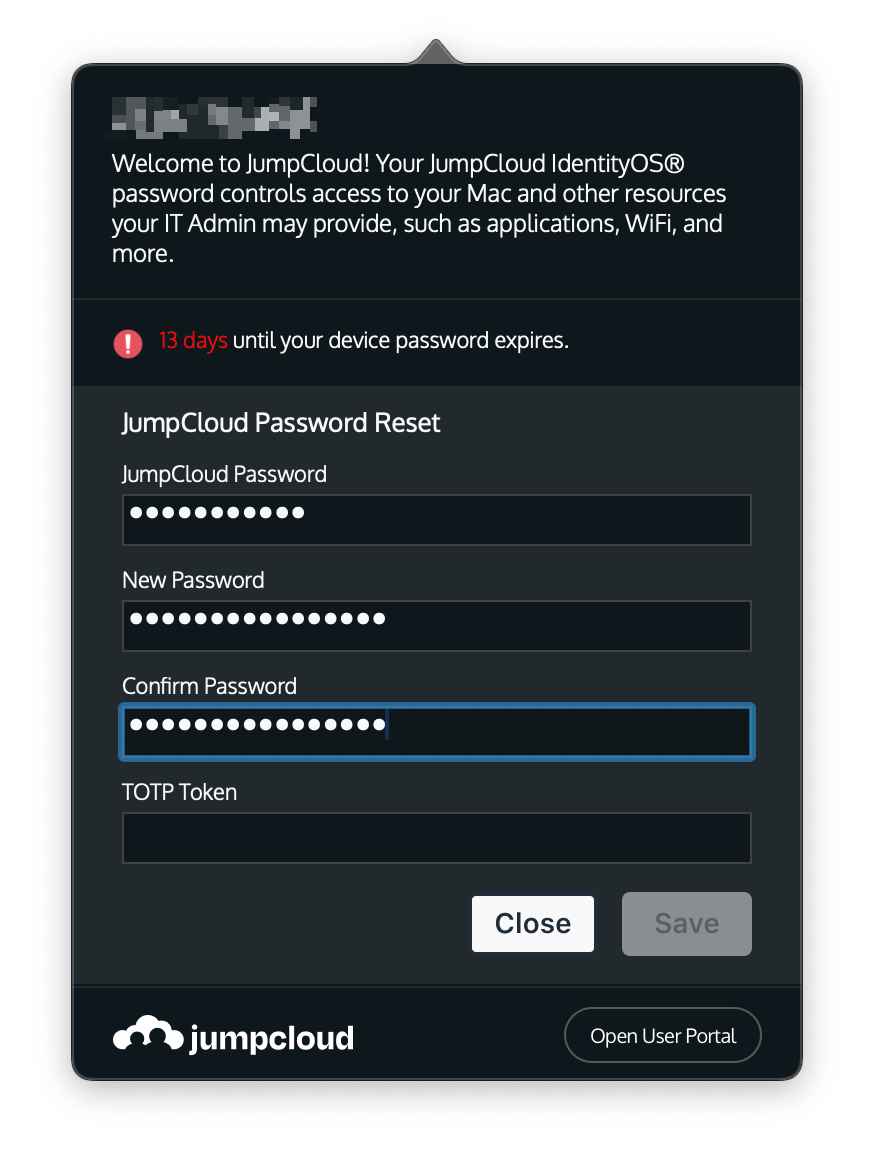
Enter your current password and the new password in the New Password and Confirm Password box. If you are using an authenticator application, put the 6 digit code from your authenticator app in the TOTP Token box
-
After the password has changed then it will change to a Password Saved message.