.png)
What is Follett Destiny?
-
It's a web-based library management system (Integrated Library System, or ILS) used by many K–12 schools to manage cataloging, circulation, inventory, reporting, and more.
-
Features often include catalog searches, checkout/in functions, dashboards for usage analytics, and modules like Destiny Discover for student resource discovery.
-
The platform handles both print and digital materials, and some versions integrate reading programs, AI (Destiny AI), and accessibility tools.
For Aoba users, please navigate to https://ajis.follettdestiny.com/
How to login to Follett?
-
Ensure you have been added to the platform.
-
If you’re a student, you should have been added at the start of the school year. If you’re enrolling mid term, please speak with the librarian at your campus.
-
-
If you’re a teacher/staff, please speak with the librarian at your campus.
-
Navigate to the website https://ajis.follettdestiny.com/
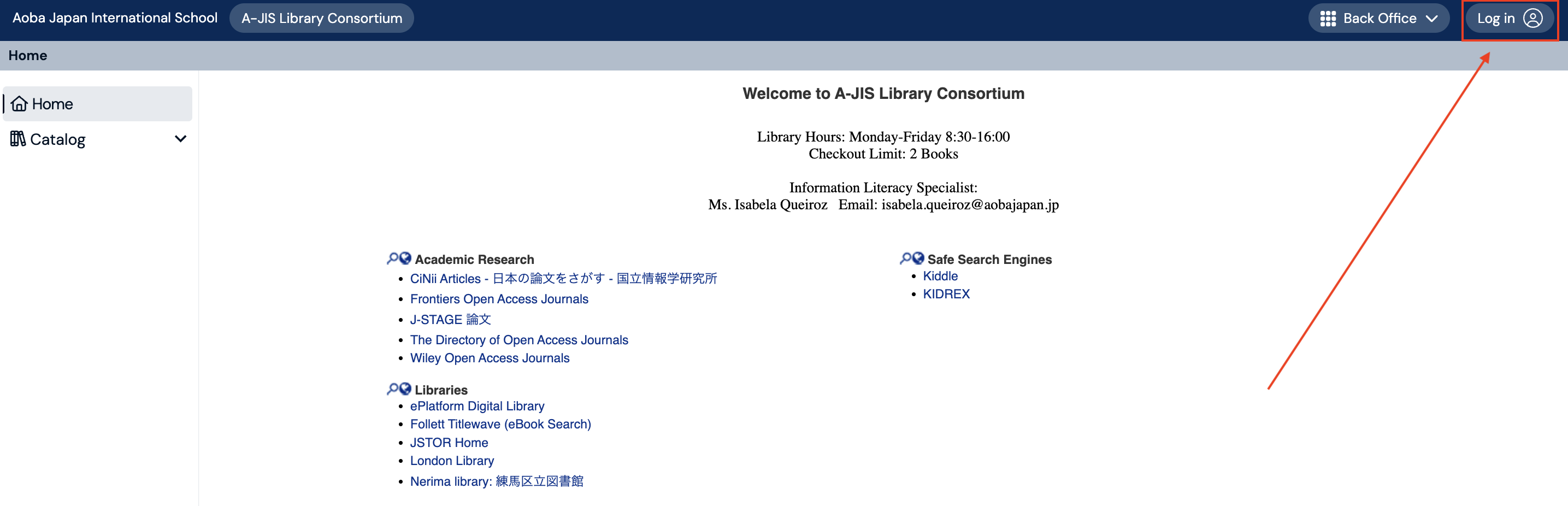
You will arrive on this page. Click on A-JIS Library Consortium.

-
Click on Login button on the top right
-
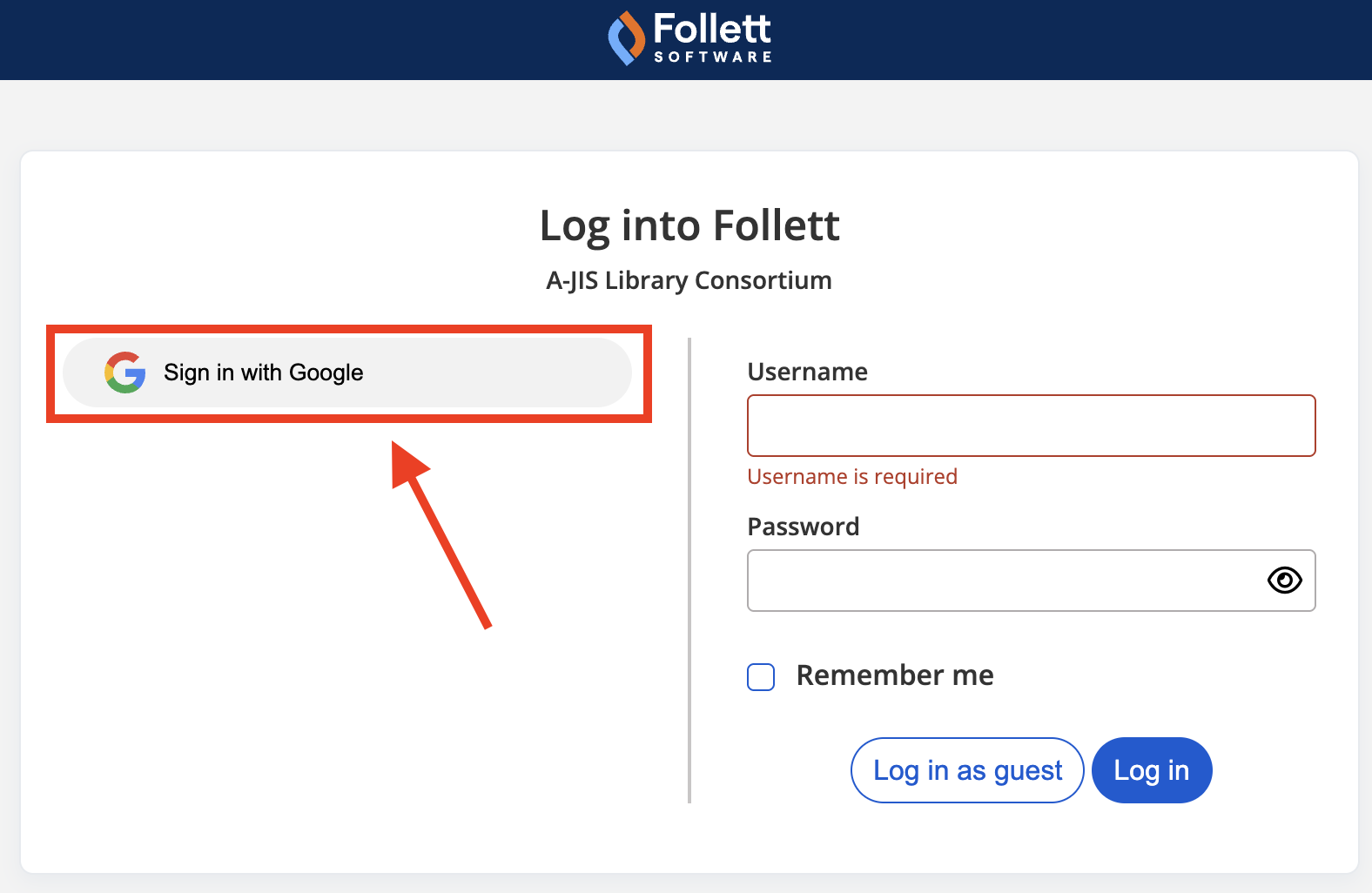
Use the Google Single Sign On option on the left.
-
The manual login is only for admin use.
-
A couple errors could arise.
(1) If you can’t login, there could have been an error in setting up your account. i.e. typo or missing a field such as username
(2) Using Chrome browser can lead to login errors. Try using Safari or Firefox.
If you’re an ICT member, please see this page for detailed information on how user management and other backend settings are configured.