.png)
Video: How to access recordings in Pencil Spaces
Steps to Access Recordings
-
Open your Subject Space in Pencil Spaces.
-
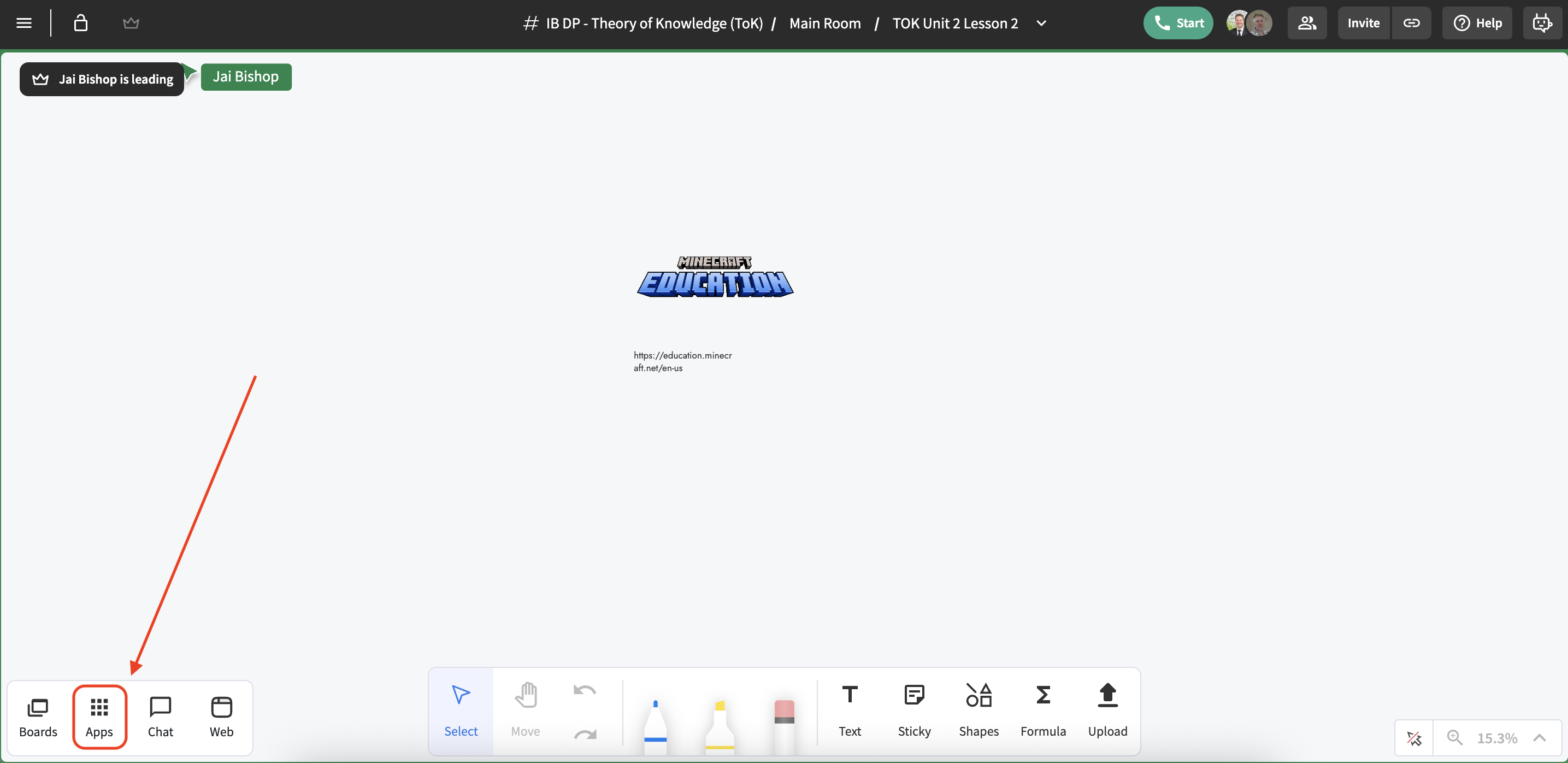
Click on Apps in the top menu.
-
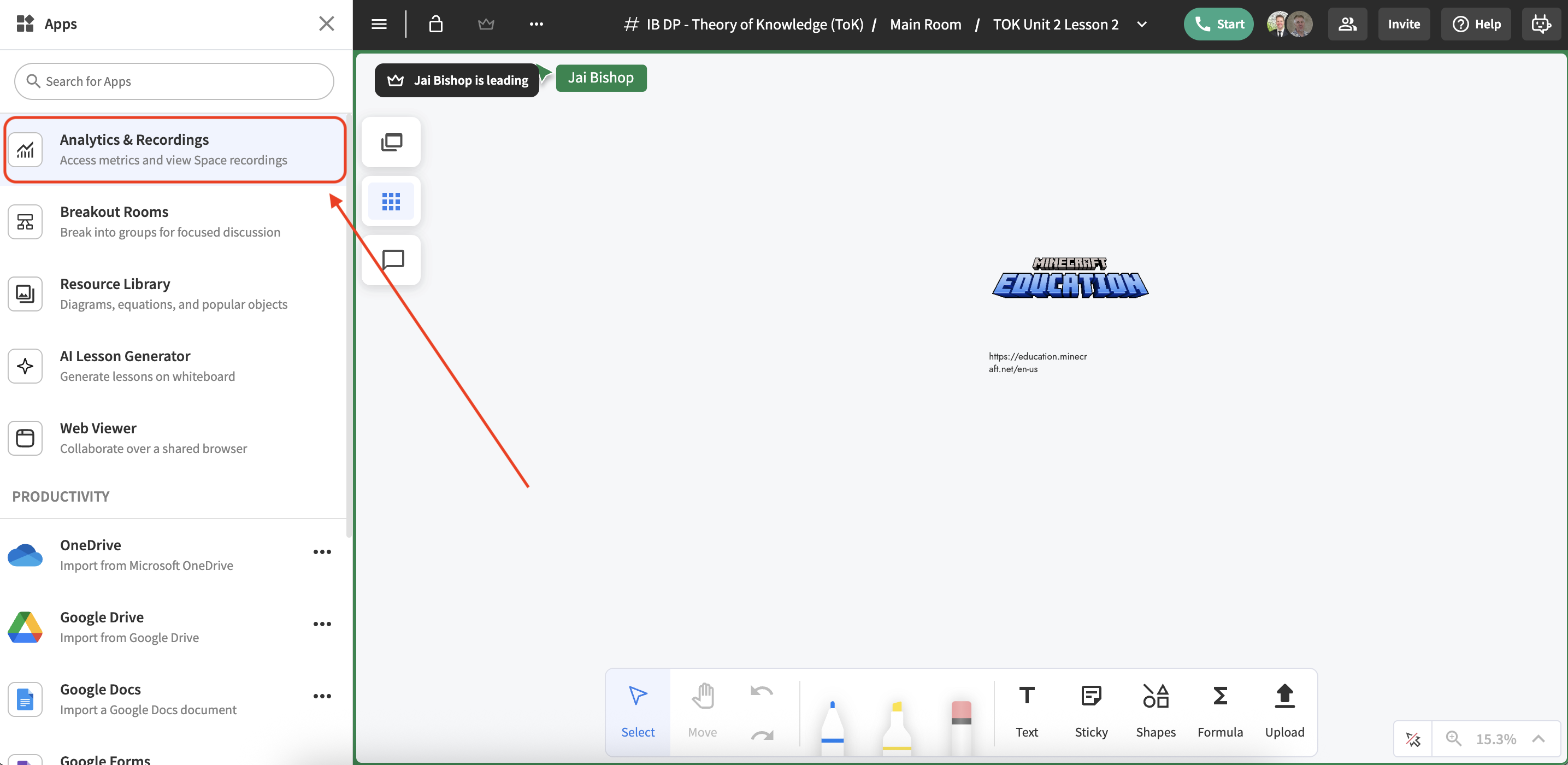
Select Analytics & Recordings.
-
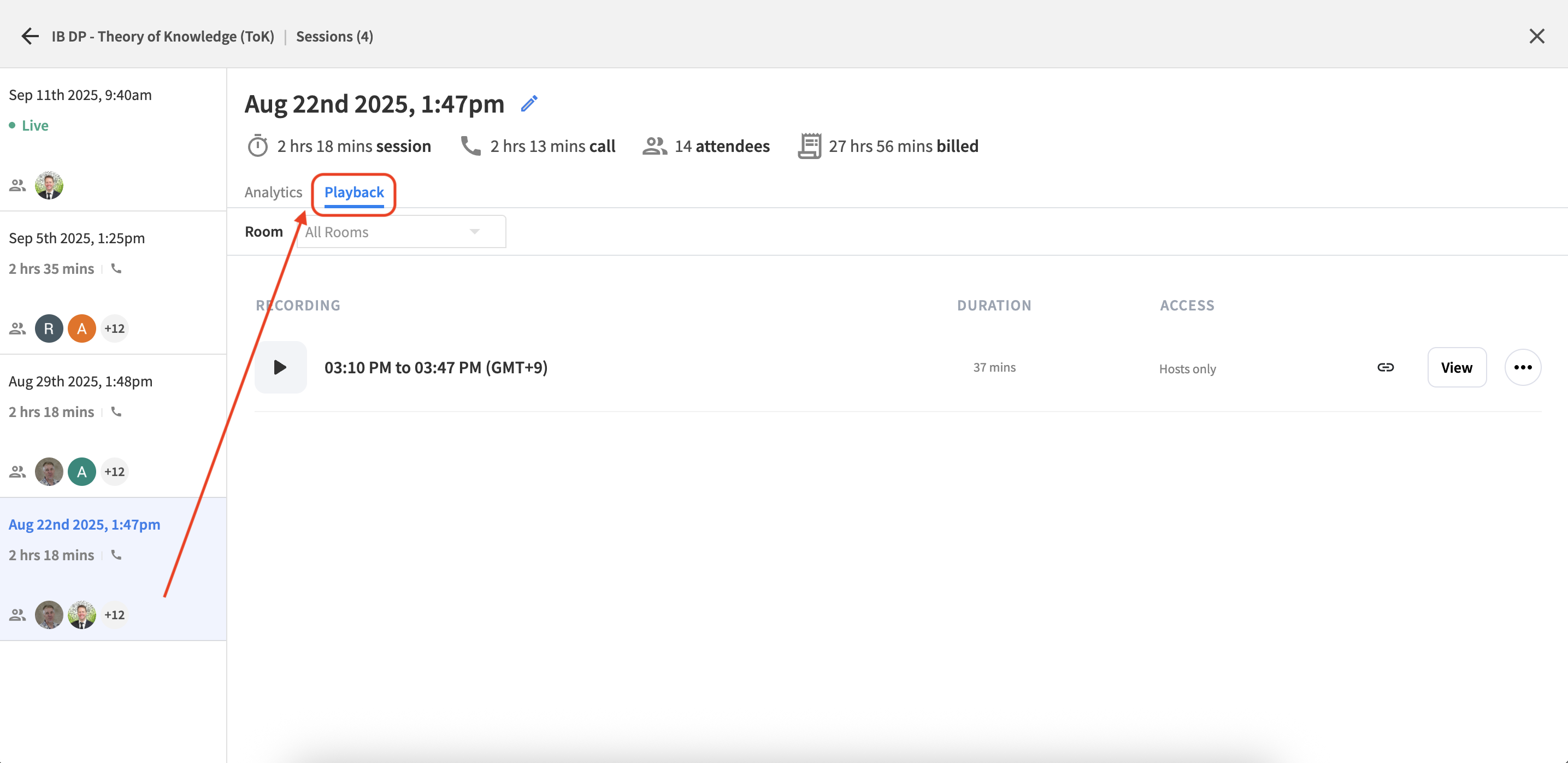
From the left navigation, choose a past class session, then select playback.
-
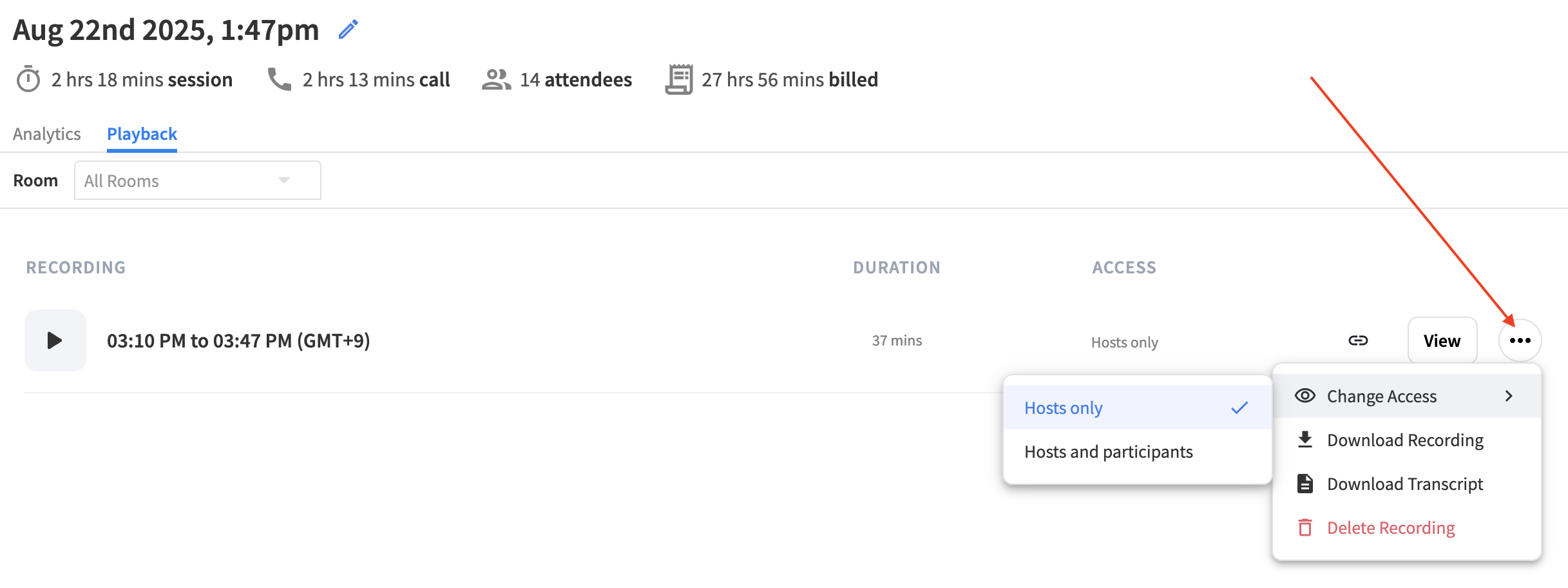
From here you can:
-
Copy the link
-
View (watch) the recording
-
Use the three-dot menu for:
-
changing access
-
downloading the recording
-
downloading the transcripts as a .txt file
-
-