
This is how to import units from previous Academic Years in to your Toddle Course Plan.
-
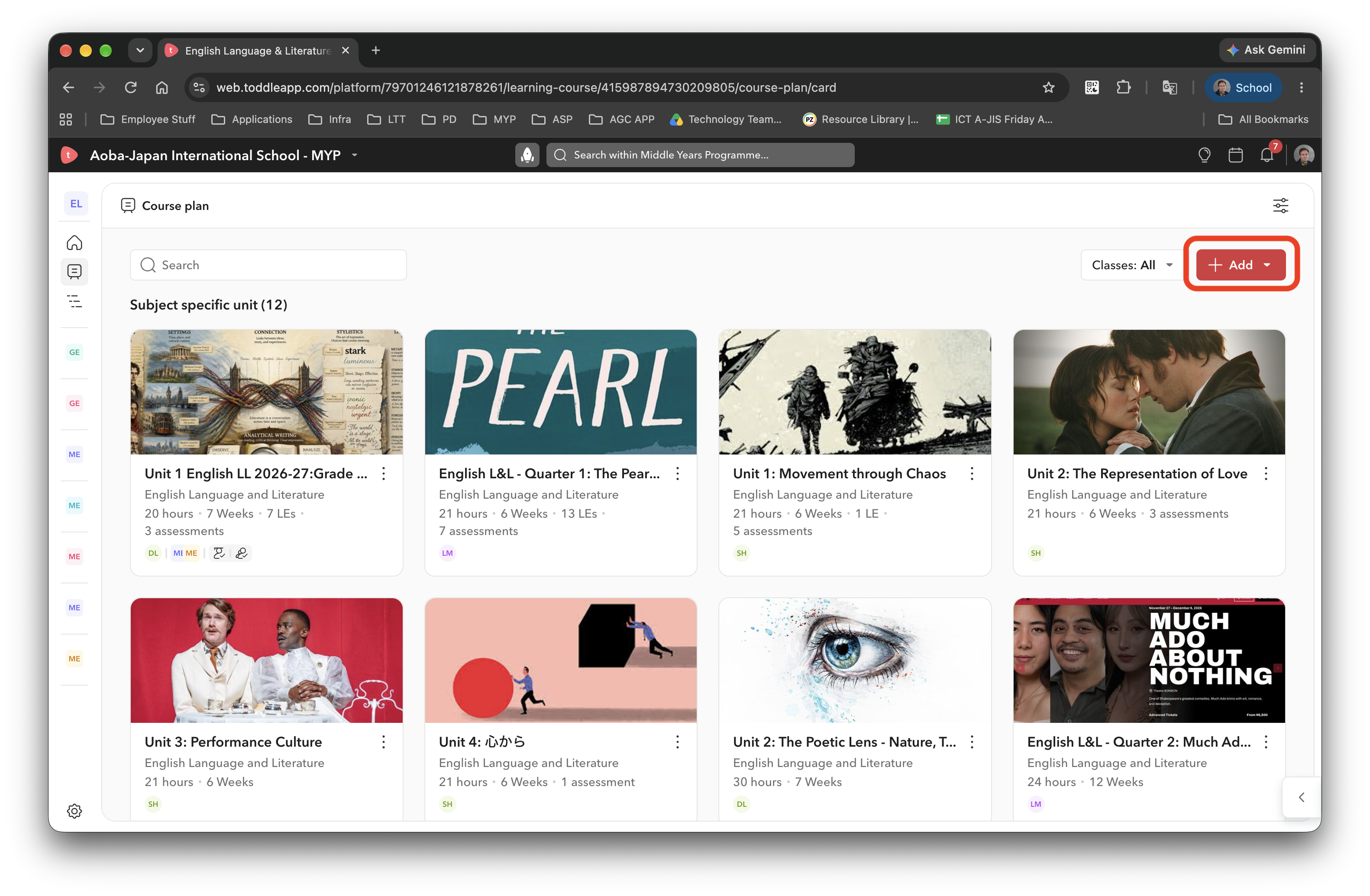
Click the Add button in the top right.
-
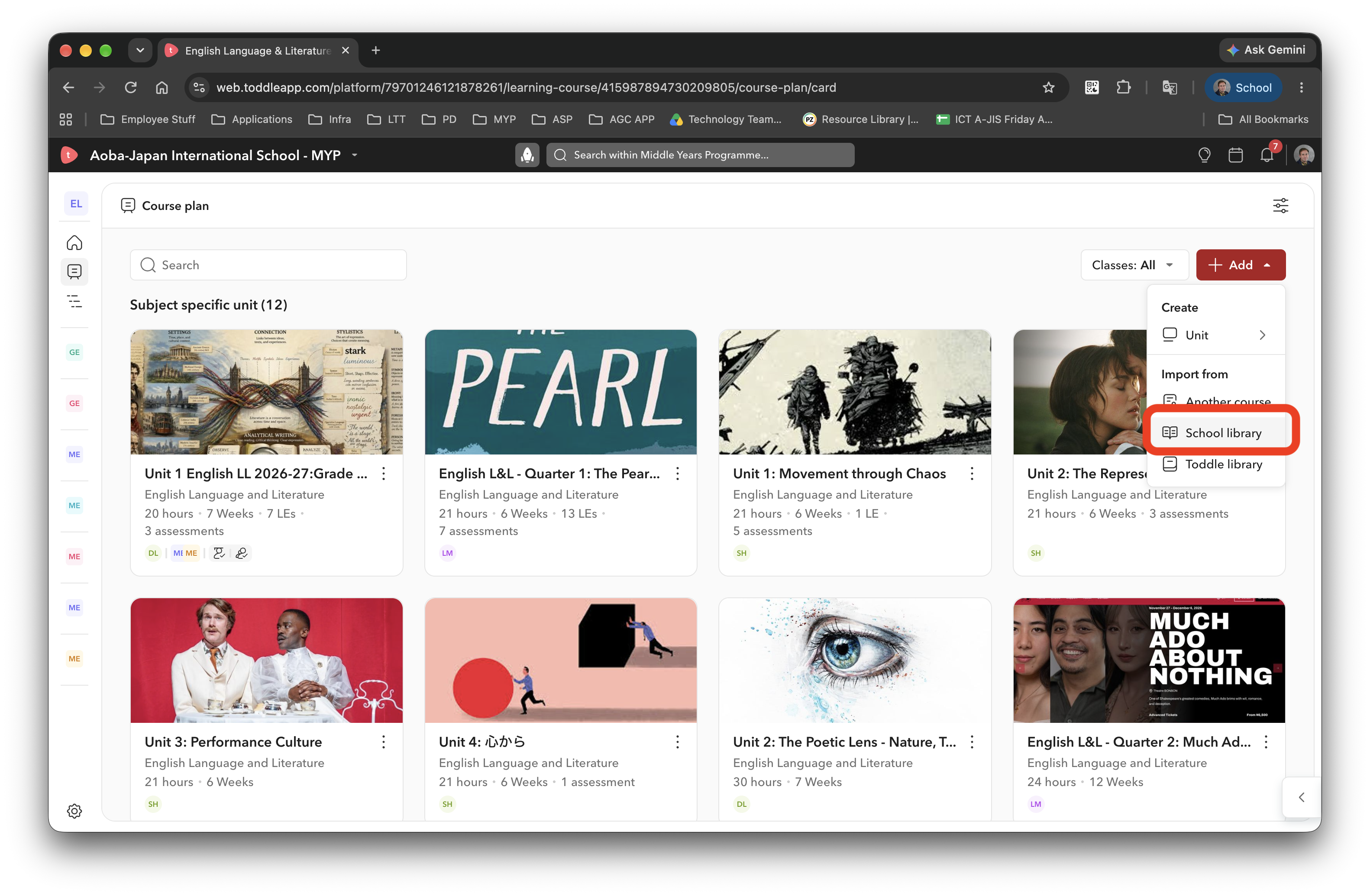
Click School Library.
-
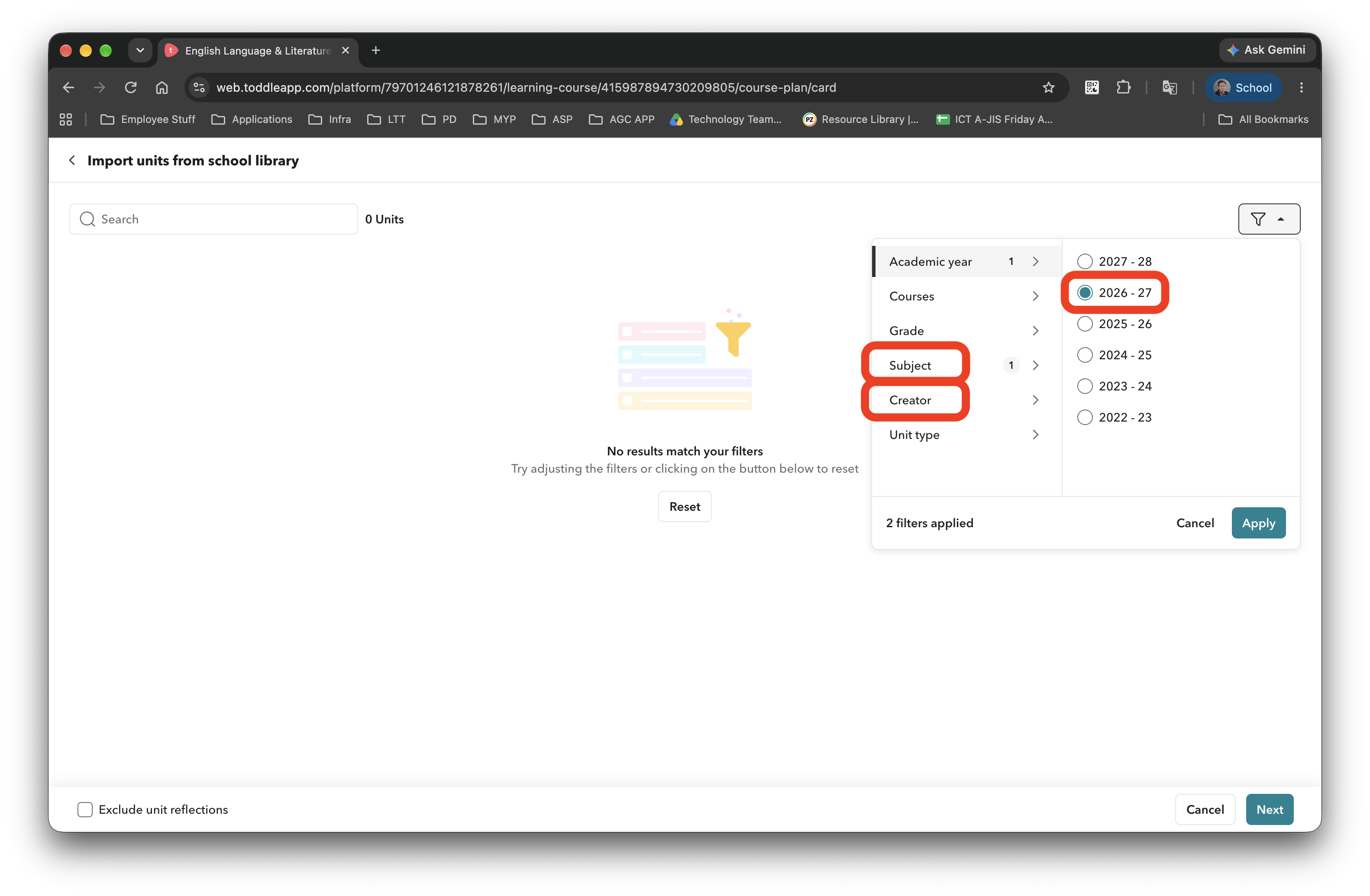
In the top right you will find a filter. Select the relevant academic year, subject and creator. You may select more filters but this is generally enough to create a short-list.
-
Click Apply.
-
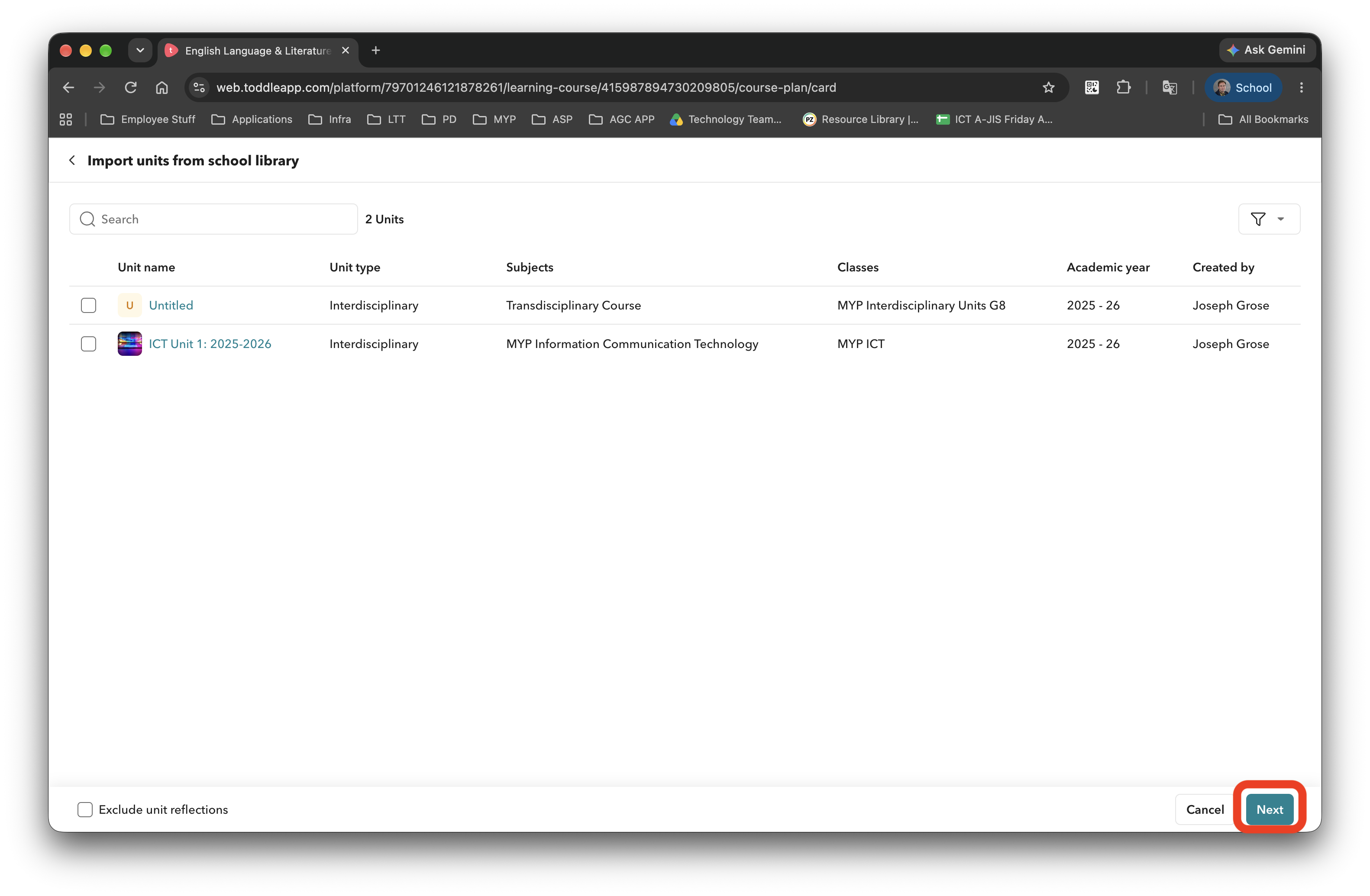
Select your unit and click Next.
-
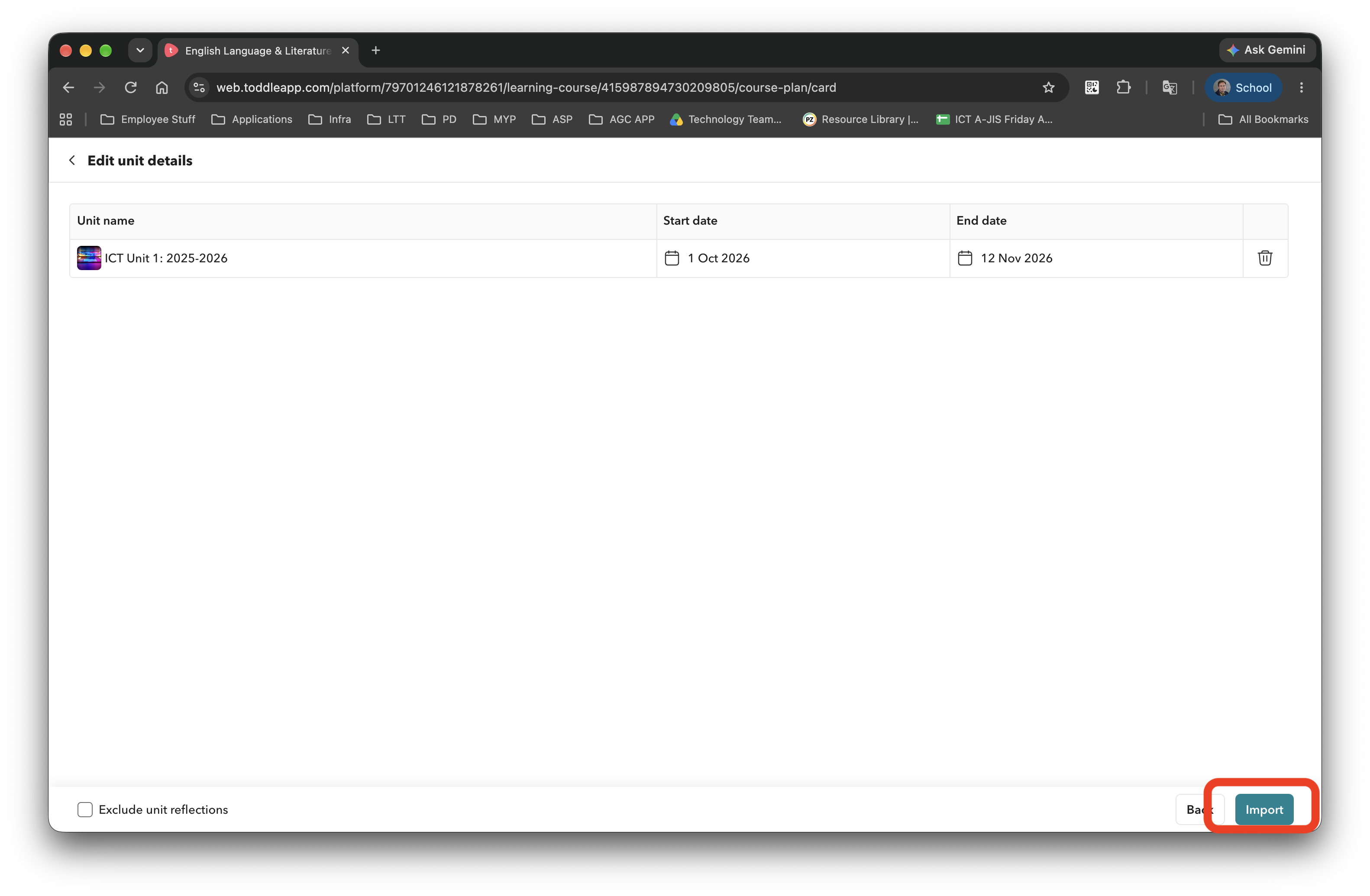
Click Import.
-
You should now see the imported unit in your Course Plan.
-
That’s it!